





Is installation of AUTO-VOX backup cameras complicated?
halloween exclusive
better gear. bigger treats.
Limited-time deals, exclusive gifts & a bonus for your next ride.

SOLAR 5B
Peace of Mind, Even After Dark.
peace of mind, even after dark
Keep an Eye on Your Campsite After Dark.

s4w
your backup view. right on your phone.
See Behind Your Vehicle, Right on Your Phone.

About AUTO-VOX
Trusted by 500,000+ Drivers Worldwide.
Engineering wireless & solar vehicle safety since 2007. The smarter way to see what’s behind.


Unlock An Extra
5% OFF
For BLACK Friday
Sign up now and unlock an exclusive 5% EXTRA discount that can be
stacked with our Black Friday offers.

extra 5% off
your exclusive reward

stackable
with black friday deals

no tricks
just real savings
black friday is coming...


Unlock An Extra
5% OFF
For BLACK Friday
Sign up now and unlock an exclusive 5% EXTRA discount that can be
stacked with our Black Friday offers.

extra 5% off
your exclusive reward

stackable
with black friday deals

No Tricks
just real savings
black friday is coming...
Worldwide Shipping
Available in more than 20 countries.
SUPPORT 24/7
24/7 Support, anytime you need it.
100% PAYMENT SECURE
Shopify official payment, 100% secure payment guaranteed.
30-Day Return Policy
Support 30-day no-reason return and exchange.
Unlock An Extra
5% OFF
For BLACK Friday
Sign up now and unlock an exclusive 5% EXTRA discount that can be
stacked with our Black Friday offers.
extra 5% off
your exclusive reward
stackable
with black friday deals
No Tricks
just real savings
black friday is coming...
Title
Quick Finder
With DVR

For Cars & SUVs

For RV

For Trailers

Multi-camera

Rearview Mirror
Top Picks for Every Driver
Shop by Category
Camping & RVing
Explore freely. Park anywhere.

Towing & Trailers
Hook up. Back up with confidence.

Daily Commute
Park easy. Stay safe.

Power & Connection

Solar Series
Sun-Powered Freedom. Zero Wiring Required. Install in just 60 seconds—no drilling, no auto-shop fees. Powered by continuous solar charging and ultra-stable signal transmission, it’s the ultimate hassle-free upgrade for every vehicle.

Wireless Series
Real-Time HD Clarity. Signal That Never Flinches. Powered by AutoLink™ 2.4GHz technology, experience zero-lag 1080P live stream across long vehicles. Plug, play, and drive with unshakeable clarity.

Wired Series
Classic connection, ultimate reliability. Hardwired setup ensures real-time, interference-free video at all times. Built for families who value consistency and durability.

As Seen On
It’s bright and crystal clear so you can see details like license plate numbers.


Testsieger ist die Auto-Vox Solar 3A Plus: stabile Signalübertragung und tolle Bildqualität, bei Tag und Nacht.

Recognized across the Harvest Hosts RV community for life on the road.

T9Pro:すっごく映像が綺麗で肉眼で見ているくらい

Dank kabelloser Anbindung lässt sich die Rückfahrkamera leicht nachrüsten, ohne ein Kabel aufwendig durch den Innenraum zu verlegen.

It’s bright and crystal clear so you can see details like license plate numbers.
Testsieger ist die Auto-Vox Solar 3A Plus: stabile Signalübertragung und tolle Bildqualität, bei Tag und Nacht.
Dank kabelloser Anbindung lässt sich die Rückfahrkamera leicht nachrüsten, ohne ein Kabel aufwendig durch den Innenraum zu verlegen.
T9Pro:すっごく映像が綺麗で肉眼で見ているくらい
Recognized across the Harvest Hosts RV community for life on the road.


19 Years of Engineering Safety into Every Journey.
Since 2007, AUTO-VOX has pioneered wireless vehicle technology. Trusted by over 10,000,000 users across 20+ countries, we don’t just build cameras—we eliminate driving anxiety so you can focus on the road ahead.
Hear From Creators
Youtuber

Youtuber
Youtuber
Youtuber
Youtuber
What Our CustomerS Say
Steven Tucker
⭐️⭐️⭐️⭐️⭐️

“This camera was recommended to me by a friend who has these on his camper. I got the twin pack with 7” Monitor. The clarity and camera range is impressive , especially infra red night mode , allowing some interesting viewing from inside the vehicle at night time. The product quality is fantastic , built to last , definitely “ex squaddie proof” too. ”
Jerry
⭐️⭐️⭐️⭐️⭐️

“I don't usually write reviews, but I must in this case! ! had some trouble at first. These folks walked me through and even sent replacement equipment. Awesome!! Very good quality...clear, easy to instaall.. ”
Adan
⭐️⭐️⭐️⭐️⭐️

“I use it on the back of my pickup, and it makes lining up the tow ball with the caravan hitch much easier. The picture on my phone is clear, and I can usually get everything lined up first time without jumping in and out of the cab. A really handy bit of kit.”
John
⭐️⭐️⭐️⭐️⭐️

“I recently purchased the back-up camera for our new RV. It was easy to install in the location identified by the rv manufacturer. It comes with a nice gasket to seal the location from water. I also used some clear caulk as additional protection. The camera works well and customer support was very fast for a technical question that I had. style of mounting.”
sgallery
⭐️⭐️⭐️⭐️⭐️

“I purchased a back up camera from my Rv last year September 2023 and was so impressed I opted to purchase another one to use as a trail camera on the front of my jeep while offroading for this year while we are in Arizona, important to see what you are about to go over before you actually climb onto it.”
Sandra
⭐️⭐️⭐️⭐️⭐️

“This is perfect for an older car that doesn't have a camera. Great for long vehicles like RVs or trucks. My sister says she's gonna borrow it to try on her school bus. It's easy to install and set up. Has a clear picture. It has a heavy duty case for storage when not in use. It makes a great kitty cam too.”
Producto no encontrado
BlogS

By AaliyahGloria
Guías
Oct 30, 2026
Backing a side-by-side down a narrow trail is different from reversing a car in a parking lot.
Behind you might be a rock ledge, a tree, another UTV, or a utility trailer loaded with equipment. The vehicle may have no factory center rearview mirror, and even an aftermarket mirror can become less useful when a spare tire, cargo rack, or full cab enclosure blocks the rearward sightline.
A UTV rear view camera can provide another perspective, particularly when looking directly behind the vehicle is difficult from the driver's seat.
However, off-road conditions place different demands on camera equipment than ordinary driveway parking.
Mud and dust can cover the lens. Rough terrain can loosen mounts or damage wiring. A roll cage, metal cargo rack, or enclosed cab can interfere with wireless transmission. Meanwhile, a camera mounted too low may be exposed to rocks, branches, and debris.
Choosing between wired and wireless systems therefore involves more than installation convenience.
Quick Answer: A wired UTV backup camera provides a dedicated video connection and can suit permanent, frequent-use installations when the cables are properly protected. A wireless UTV camera reduces video wiring and may be easier to install, especially for occasional reversing or portable setups. Both approaches need secure mounting, appropriate power, weather protection, and testing under actual trail conditions.
For Polaris RZR, Polaris Ranger, Can-Am Maverick, Can-Am Defender, Honda Talon, Honda Pioneer, and other side-by-side vehicles, the exact installation depends on the model, year, cab structure, electrical system, and accessories already installed.
This guide explains how to compare the two camera types, where to mount a rear camera on a UTV, what to look for in off-road durability, and how to build a setup suited to trail riding, work, and hauling.
Quick Navigation
Off-road safety reminder: A rear camera provides a selected visual reference. It cannot show every obstacle, determine safe ground clearance, replace mirrors or a spotter, or make reversing on unstable terrain safe by itself. Stop and inspect the route whenever the terrain or camera image is uncertain. Never drill, weld, or otherwise modify a UTV's rollover protective structure unless the vehicle manufacturer expressly authorizes the work.
Why Does a UTV Need a Different Rear View Camera Setup?
UTVs, also called side-by-sides or SxS vehicles, have very different rear-visibility and operating conditions from passenger cars.
Many have open or partially enclosed cabins, roll cages, cargo beds, off-road tires, and accessories mounted around the rear body.
Depending on the vehicle, rear visibility may depend on side mirrors, an aftermarket center mirror, or simply turning to look behind.
Those methods remain important, but accessories can create additional obstructions.
Cargo, Spare Tires, and Cab Enclosures Change the Rear View
Consider a UTV fitted with a rear-mounted spare tire, large cooler, and roof rack.
Even if the vehicle has a center mirror, the equipment may block much of the area directly behind it.
Other common obstructions include:
- rear cargo boxes
- tool racks
- hunting equipment
- rear windshields
- soft or hard cab enclosures
- tall loads in the cargo bed
- hitch-mounted accessories
A rear camera positioned beyond or above the obstruction can provide an additional view.
The correct position depends on the UTV's final loaded configuration.
Mounting the camera before installing a spare-tire carrier or cargo rack may leave the lens partly blocked afterward.
Trail Riding, Farm Work, and Hauling Need Different Views
The most useful UTV camera position depends on the activity.
| UTV Activity | Rear Visibility Need | Camera Priority |
|---|---|---|
| Recreational trail riding | Checking selected areas behind the vehicle | Stable rear image, protected lens and mount |
| Rocky or narrow trails | Observing selected rear obstacles during slow maneuvers | Useful camera angle and secure mounting |
| Farm and ranch work | Backing near gates, fences, buildings and equipment | Accessible monitor and consistent camera operation |
| Hunting and cargo hauling | Seeing behind equipment loaded above the cargo bed | Camera placed clear of the actual load |
| Utility trailer towing | Trailer positioning and selected hitch-area views | Camera angle matched to the towing task |
| Occasional weekend use | Additional rear view during parking and loading | Simple setup and easy removal or charging |
A UTV used daily around a ranch may benefit from a permanently powered camera and monitor.
A recreational side-by-side used occasionally at campsites may place greater value on a portable system that requires minimal permanent wiring.
For rocky terrain, the camera should be considered another observation tool rather than a substitute for stopping and checking wheel placement or using a spotter.
Rearview Mirrors Still Have an Important Role
Many side-by-sides can be equipped with a center rearview mirror and side mirrors, even when those items were not included in the original vehicle configuration.
Mirrors provide immediate optical information without a powered display or wireless connection.
However, a mirror can only reflect what is visible from its position.
A large cargo load or rear enclosure can block its sightline.
A camera mounted in a suitable position may provide a view around that obstruction, while side mirrors continue to show areas outside the camera's field of view.
The two approaches complement each other.
Visibility rule: Check the UTV with its normal accessories and cargo installed. Identify the actual missing view before selecting the camera, rather than assuming the rear bumper is always the best mounting position.
Wired vs. Wireless UTV Backup Cameras: Which Is Better?
Both wired and wireless camera systems can work on a UTV when they are properly selected and installed.
The main difference is how the video travels from the rear camera to the driver's display.
Wired UTV Cameras: A Dedicated Video Connection
A fully wired camera uses a physical video cable between the camera and monitor.
The cable may carry video through an analog or digital connection, depending on the product.
This arrangement can be practical for a UTV that frequently uses the same rear camera in a fixed position.
Potential advantages include:
- a dedicated video path
- no wireless pairing requirement
- less dependence on radio signal conditions
- consistent camera and monitor placement
The main tradeoff is the installation.
A UTV has limited protected space for cable routing, and exposed wiring can be vulnerable to:
- branches
- abrasion
- mud and water
- vibration
- suspension movement
- loading and unloading equipment
A wired connection is only as reliable as its routing and connectors.
A damaged cable, loose plug, or water-contaminated connection can interrupt the image just as a poor wireless connection can.
For intensive trail use, choose a wired system designed and documented for the expected environmental and vibration conditions.
Wireless UTV Cameras: Less Video Wiring
A wireless backup camera sends video to a compatible display without a long physical video cable.
That can make installation easier on a side-by-side with an open frame or limited interior trim.
There are two common power arrangements.
Fixed wireless camera: The camera transmits video wirelessly but uses a compatible vehicle power connection.
Rechargeable wireless camera: The camera has its own battery and transmits video without requiring permanent camera-power wiring.
A fixed wireless system can be useful when the camera stays on the UTV and a suitable protected power supply is available.
A rechargeable camera may be more practical when the owner wants to avoid permanent wiring or move the camera between compatible mounting positions.
However, battery power adds another requirement: the camera must be charged and ready before use.
Some rechargeable products include solar-assisted charging, which can extend the time between charges under suitable sunlight.
Solar assistance does not guarantee continuous operation, particularly when the camera is shaded by a cargo rack, covered in mud, or used for long periods.
Wireless Range on a UTV
The distance from a rear-mounted UTV camera to a dashboard display is usually shorter than the distance across a large RV or trailer.
That does not automatically guarantee a strong wireless signal.
Possible obstacles include:
- steel roll cages
- metal cargo racks
- full cab enclosures
- rear spare-tire carriers
- tools or other metal cargo
- additional wireless accessories
A camera can connect successfully when the vehicle is empty and lose stability once the cargo area is loaded.
The published wireless range should therefore be treated as a reference rather than proof of performance in every UTV configuration.
Test the system with the machine loaded and equipped as it will normally be used.
Phone Viewing vs. a Dedicated Monitor
Some wireless cameras send video directly to a smartphone or tablet through a compatible app.
Others use a dedicated monitor.
A phone-based camera can work well for occasional low-speed viewing, particularly if the operator already uses a mounted phone or tablet.
However, the camera app may share the screen with navigation, calls, and notifications.
A dedicated monitor provides a separate display for the rear image.
For frequent UTV use, this may be more convenient because the driver does not need to switch apps or reconnect the phone before every maneuver.
Regardless of display type, the screen needs a secure mount and protection appropriate for the cabin environment.
| Feature | Wired Video Camera | Wireless Video Camera |
|---|---|---|
| Video connection | Physical cable | Compatible radio link |
| Camera power | Vehicle power or another supported arrangement | Vehicle power or rechargeable battery |
| Installation work | Video cable routing and mounting | Mounting, power planning and pairing |
| Radio interference | Not dependent on a wireless video link | Can affect signal stability |
| Cable damage risk | Longer cable route requires protection | Reduced video wiring, but powered cameras still have cables |
| Moving the camera | Usually requires changes to the installation | Often easier with a rechargeable portable system |
| Permanent daily use | Practical with protected wiring | Practical with compatible fixed power and stable reception |
| Occasional use | May involve more installation work than necessary | Portable options can be convenient |
Wired vs. wireless rule: Choose according to the installation and operating routine. A protected wired system can suit permanent use, while wireless systems reduce video wiring. Neither connection method compensates for a poorly mounted camera or unsuitable equipment.
Where Should You Mount a UTV Rear View Camera?
UTVs provide several possible camera positions, but the best location depends on the body, cargo, and terrain.
One of the biggest differences from passenger-car installation is the lack of a standardized rear license-plate mounting position.
Many UTVs also use tubular roll cages and exposed bodywork rather than enclosed metal panels.
Rear Roll Cage or Upper Crossbar
A rear roll-cage crossbar can provide a relatively high camera position.
Advantages may include:
- a broader perspective behind the vehicle
- less direct exposure to low-mounted mud spray
- better clearance from some bumper-level obstacles
However, high mounting is only useful if the camera can see past the vehicle's cargo and rear equipment.
The camera should be positioned so that the roll-cage tubing itself does not occupy an excessive portion of the image.
Use a vehicle-approved accessory mounting arrangement that fits the actual tubing and does not interfere with the rollover protection system.
Do not drill into, weld onto, cut, or otherwise alter the roll cage without express approval from the vehicle manufacturer.
The mount must also remain clear of seat belts, harnesses, roof panels, passenger movement, and other required equipment.
Rear Cargo Rack or Bed Area
The rear cargo area can provide a useful mounting location on utility-focused side-by-sides.
For vehicles such as a Polaris Ranger, Can-Am Defender, or Honda Pioneer, the cargo bed may be a central part of the vehicle's daily work.
A camera near the rear body can provide a view when reversing toward a fence, trailer, or loading area.
However, a cargo-bed camera may be obstructed by:
- toolboxes
- coolers
- sprayers
- wood or other materials
- tall cargo racks
If the UTV has a tilting cargo bed, the camera position and cable routing must also account for the bed's full movement.
Do not route a permanent cable across a hinge or moving joint without a properly designed flexible connection.
Rear Bumper and Hitch Area
A lower rear camera can provide a useful close-range view.
It may be helpful when:
- aligning a hitch with a small utility trailer
- reversing toward a loading area
- positioning near a low obstacle
The tradeoff is increased exposure.
Bumper-level cameras are more likely to encounter mud, water spray, rocks, vegetation, and physical impacts.
A rear-facing camera mounted directly below a bumper may also have part of its image blocked by the hitch or rear frame.
A protective location slightly above or beside the most exposed area may be more practical, provided the field of view remains useful.
If the UTV tows a trailer, remember that a rear camera on the UTV cannot show directly behind the attached trailer when the trailer blocks that view.
For that purpose, a separate backup camera for trailer arrangement may be needed.
Magnetic, Clamp, and Screw Mounts
The mounting method must match the surface.
Clamp mounts can work with suitable tubular structures when the correct vehicle-approved bracket is used.
Screw mounts may suit appropriate non-structural brackets or panels, provided drilling and fastening are permitted by the vehicle manufacturer.
Magnetic mounts require a suitable ferromagnetic surface or an approved mounting plate.
Many UTV body panels are plastic, aluminum, or composite materials, so a magnetic camera may not attach directly.
Adhesive metal plates are available for some camera systems, but adhesive strength and camera retention need to be evaluated carefully in dusty, wet, or high-vibration conditions.
A magnetic camera intended for RV or trailer use should not automatically be considered secure on a fast-moving off-road UTV.
If appropriate secure retention cannot be established, use a different mounting system or a product specifically designed for the vehicle's operating conditions.
Wiring and 12V Electrical Planning
Many gasoline-powered UTVs use 12V electrical systems, although the actual accessory arrangement varies by vehicle.
Before connecting any camera or monitor, verify the exact electrical specifications.
A permanent camera installation may use a suitable manufacturer-approved accessory circuit.
The installer should check:
- available accessory power
- circuit protection
- camera and monitor operating voltage
- expected current draw
- existing accessory load
- approved grounding points
Light bars, winches, audio equipment, heaters, and other UTV accessories may already use much of the available electrical capacity.
Use an appropriately fused circuit and follow the vehicle and camera manufacturer's installation guidance.
Do not assume every UTV has a conventional reverse-light circuit suitable for powering a backup camera.
If automatic activation is required, confirm how the selected camera can be triggered on the particular model.
For wired systems, route cables along protected fixed portions of the vehicle.
Keep them away from:
- driveshafts
- suspension arms
- steering components
- exhaust heat
- sharp metal edges
- tires
- moving seats or cargo beds
Leave enough slack only where movement is required and protect it using the manufacturer's recommended method.
Mounting rule: Select a protected location that shows the actual rear area you need. Preserve the roll cage and safety equipment, protect wiring from moving components, and use hardware suitable for the UTV's vibration and terrain.
Dust, Mud, Vibration, and Night Riding: What Specifications Matter?
Off-road durability involves several different characteristics.
A camera can have excellent weather resistance but still use a mount that loosens under vibration.
Another camera may be securely mounted yet provide a poor image when its lens becomes covered in dust.
Evaluate the complete installation rather than relying on one durability claim.
IP67 vs. IP69K: What Do the Ratings Tell You?
Ingress-protection ratings describe resistance to specified environmental exposure.
For cameras commonly used outdoors:
- IP67: Indicates dust-tight protection and resistance to temporary immersion under defined test conditions.
- IP69K: Indicates resistance to dust and specified high-pressure, high-temperature water-jet testing.
These ratings are useful when comparing camera housings.
However, an IP69K rating does not automatically confirm resistance to rock impacts, severe vibration, branch strikes, or every pressure-washing technique.
Likewise, a camera's waterproof rating does not establish that its cable connectors, mounting bracket, monitor, or phone are equally protected.
For demanding trail use, check the environmental specifications of the complete system and any documented vibration or shock ratings.
Mud and Dust Can Make a Good Camera Image Useless
UTVs often kick up dust and mud directly behind the rear tires.
A lens mounted in that spray path may become obstructed quickly.
The camera may remain fully operational while the image becomes cloudy or unreadable.
Mounting location can reduce the exposure, but it cannot eliminate dust or mud under every condition.
A practical maintenance routine includes:
- checking the lens before riding
- cleaning away mud and dust when stopped
- using appropriate lens-cleaning materials
- checking the camera housing for damage
- inspecting seals and connectors
A camera image should never be treated as reliable when the lens is visibly obscured.
Stop and use direct observation until the view is restored.
Vibration and Impact Resistance
UTVs experience frequent jolts and vibration on rocky or rutted terrain.
That movement affects:
- camera brackets
- monitor mounts
- electrical connectors
- wire insulation
- magnetic attachment points
A loose camera may slowly rotate downward, changing the field of view.
It may also introduce image shake or eventually detach.
Use suitable hardware and follow the specified tightening procedures.
After the first rough ride, inspect the camera and monitor mounts again.
For frequent hard off-road operation, a system with documented vibration resistance and a purpose-built mount is preferable to an ordinary accessory with no validated off-road retention performance.

Night Vision and Wide-Angle Lenses
Low-light performance matters when operating around a dark farm, campsite, barn, or trailhead.
Some rear cameras use infrared illumination, while others rely on low-light image sensors and processing.
Actual performance depends on the camera and surrounding conditions.
Dust, fog, and nearby reflective surfaces can also create glare in the image.
A wide-angle lens can show more area beside the rear of the UTV, but it may make obstacles appear smaller or farther away than expected.
Do not choose the widest lens automatically.
The viewing angle should match the camera height, rear body shape, and intended reversing task.
For a hitch-specific view, close detail may matter more than showing a large area of the surrounding trail.
How to Test a UTV Camera Before the First Trail Ride
A camera that works in a garage should also be checked with the vehicle fully equipped.
Use a controlled area and follow this process:
- Install the normal cargo, spare tire, roof, and cab accessories.
- Place the camera and monitor in their intended operating positions.
- Check the rear image for obstructions and correct orientation.
- Test the wireless signal or wired connection with the vehicle running and accessories in their normal configuration.
- Observe the image while stationary reference objects are moved behind the vehicle at a safe distance.
- Test image stability over a short, low-speed route without relying on the camera for obstacle clearance.
- Inspect the mounts, cables, and connectors afterward.
- Repeat checks after substantial mud, water, or dust exposure.
Do not reverse toward a person, rock ledge, or obstacle simply to test video latency.
If the image freezes, drops out, or becomes difficult to interpret, stop the vehicle and investigate.
Durability rule: IP ratings, vibration resistance, mounting security, and image cleanliness are separate requirements. A camera is ready for trail use only when the complete installation has been checked under representative conditions.
How to Choose a UTV Rear View Camera and Display
Start by deciding how the camera will be used.
A permanently installed UTV camera for daily ranch work has different priorities from a portable camera used occasionally for backing a recreational side-by-side.
| Priority | Camera Approach to Consider | What to Verify |
|---|---|---|
| Frequent, demanding trail use | Purpose-built wired off-road system | Vibration rating, protected cable route, camera and monitor durability |
| Permanent rear camera with less video wiring | Fixed wireless camera | Suitable vehicle power and stable signal |
| Occasional parking or hauling | Rechargeable wireless camera | Secure mount, battery runtime, wireless performance |
| Minimal dashboard hardware | Phone-compatible Wi-Fi camera | App compatibility, phone mount, connectivity and interruptions |
| Rear plus another selected view | Compatible dual-camera system | Two secure mounting positions and split-screen support |
For a heavily used off-road machine, camera and mount durability should be established before installation.
For occasional low-speed use, a suitable rechargeable camera may provide convenient rear visibility without extensive permanent wiring.
The following AUTO-VOX products illustrate different camera and display configurations.
They are primarily designed for cars, trucks, RVs, and trailers. Their use on a UTV should be considered only after confirming the vehicle's electrical requirements, mounting suitability, expected vibration, environmental exposure, and operating conditions.
W7 Pro: Fixed Wireless Video With Vehicle Power
W7 Pro uses a fixed rear camera that transmits video wirelessly to a 5-inch monitor.
Its camera is designed to receive power from a compatible vehicle circuit, while the monitor uses an accessory-power connection.
The product includes:
- 720P display
- color night vision
- IP69K-rated rear camera
- six customizable parking guideline settings
- up to 44 feet of published wireless transmission range
- optional compatible dual-camera support
For a UTV installation, the main question is whether the vehicle has an appropriate power source and secure camera mounting location.
Because the standard setup uses reverse-light power, UTV owners must verify whether that connection method is available and suitable on their particular vehicle.
Do not assume the kit can be installed using the same wiring arrangement on every side-by-side.
Solar3A Plus: Compact Rechargeable Wireless Viewing
Solar3A Plus combines a rechargeable rear camera with a 5-inch IPS anti-glare display.
Its published specifications include:
- 1080P camera resolution
- IP69K-rated camera housing
- up to 52 feet of wireless range
- infrared-supported night vision
- adjustable parking guidelines
- rechargeable battery with solar-assisted charging
- support for a compatible second camera
The standard camera uses a license-plate mounting arrangement.
That may work on vehicles with a suitable plate position, but many UTVs do not provide a conventional automotive license-plate mount.
Any alternative bracket needs to be mechanically suitable and safely installed.
The rechargeable camera reduces permanent camera wiring, although the monitor still requires compatible power.
Solar5B: Magnetic Camera With a Larger Monitor
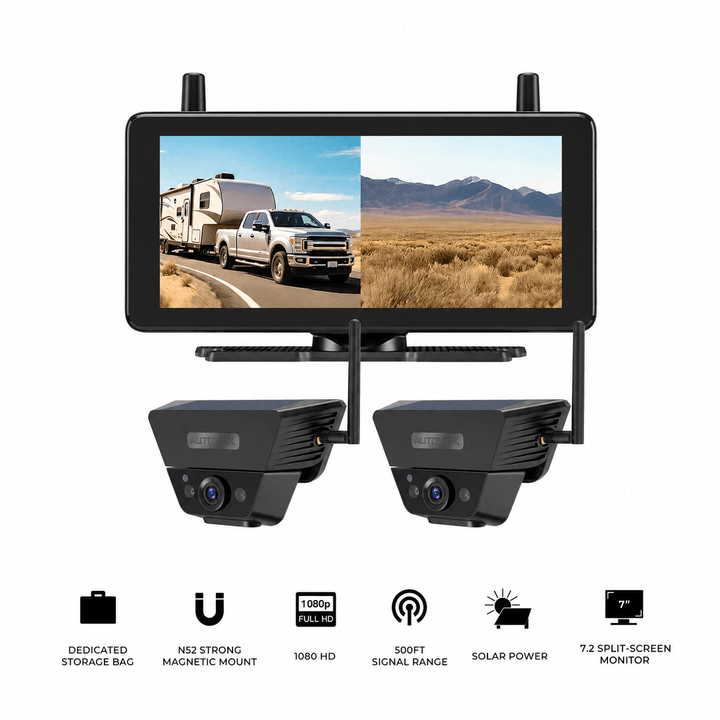
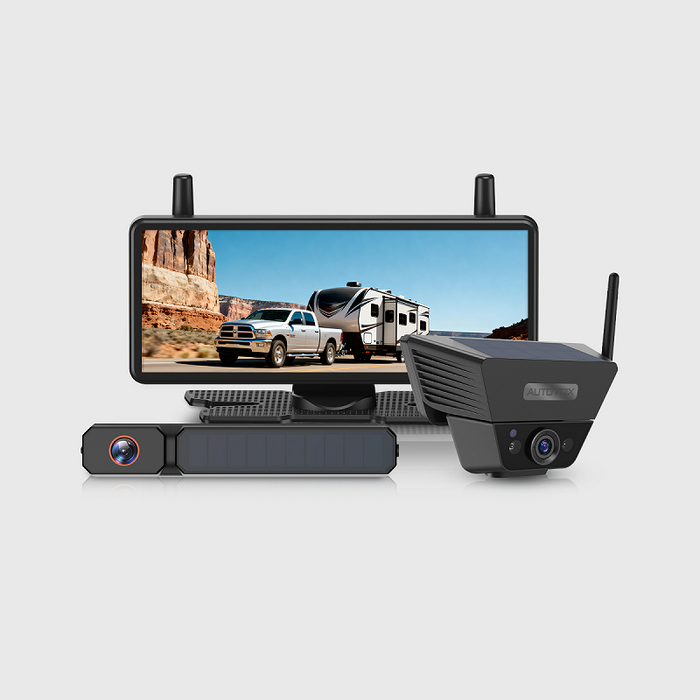
Solar5B includes a rechargeable magnetic camera and a 7.2-inch IPS display.
The camera provides 1080P video, infrared night vision, adjustable parking guidelines, and an IP69K-rated housing.
It supports a compatible second camera for dual-view use.
The larger screen can be helpful when the monitor is positioned farther from the driver or when two camera feeds need to share the display.
The important UTV consideration is the magnetic mounting method.
A magnetic attachment designed for a suitable RV or trailer surface should not automatically be considered secure under hard off-road vibration, jumping, or repeated impacts.
Verify the mounting surface and retention requirements before considering this design for UTV use.
Solar4 Wifi: Phone-Based Viewing Without a Separate Monitor
Solar4 Wifi sends a live camera image to a compatible iPhone or Android device using a local Wi-Fi connection.
The system includes:
- 1080P camera video
- IP67-rated camera housing
- rechargeable battery with solar-assisted charging
- magnetic or screw-mount options
- up to 230 feet of published open-condition wireless range
- phone or tablet viewing through the supported app
It does not require external internet access for local viewing.
The phone remains the display, so incoming calls, app switching, and navigation may interfere with the viewing workflow.
This approach can suit occasional stationary or low-speed viewing when the phone is securely mounted and the connection is established before moving.
For frequent demanding off-road use, a properly secured dedicated monitor may be more practical.
Camera and Display Options to Compare
Prices and configurations may change. Confirm the current product pages before purchasing. These AUTO-VOX systems are primarily designed for compatible cars, trucks, RVs, and trailers; the product listings do not establish model-specific UTV fitment or validated performance under racing, jumping, or severe off-road vibration. Match the electrical supply, mounting method, environmental rating, and intended operating conditions to the actual vehicle. Where those requirements cannot be confirmed, choose a purpose-built UTV camera system.
Frequently Asked Questions
Can you put a backup camera on a UTV or side-by-side?
Yes. A UTV can use a suitable rear-facing camera when a secure mounting position, compatible power arrangement, and readable display are available. Installation varies between Polaris, Can-Am, Honda, and other vehicles, as well as between different model years and accessory configurations. Confirm the exact vehicle and equipment compatibility before installation.
Is a wired or wireless backup camera better for off-road use?
A wired camera can suit a permanent installation when the video cable and connectors are protected from vibration, mud, water, and moving parts. A wireless camera reduces video wiring and may be more convenient for occasional use. Performance depends on the complete system and installation. For demanding off-road conditions, documented vibration resistance and secure mounting are particularly important.
Where should a rear camera be mounted on a UTV?
Possible locations include a suitable rear crossbar, protected rear body bracket, cargo-rack position, or rear bumper area. The best location depends on the UTV's structure and what the driver needs to see. Keep the lens clear of cargo, mud spray, moving parts, and likely impact areas. Do not modify the rollover protective structure without manufacturer approval.
What waterproof rating should a UTV backup camera have?
A dust-tight camera with an appropriate water-ingress rating is desirable for muddy and dusty trail conditions. IP67 indicates dust-tight protection and resistance to temporary immersion under defined conditions, while IP69K addresses specified high-pressure water-jet exposure. These ratings do not establish vibration or impact resistance, and the complete installation must also be suitable for off-road use.
Can a magnetic backup camera stay attached during rough trail riding?
Magnetic camera retention depends on the surface material, mount design, vibration, and expected impacts. Many UTV panels are plastic or aluminum, and a magnetic or adhesive-assisted mount suitable for ordinary RV use may not be secure during rough off-road driving. Confirm the manufacturer's mounting requirements or use an appropriately rated mechanical mounting solution.
Will a wireless rear camera work with a UTV roll cage and cargo rack?
It may, but metal structures, cargo, enclosure panels, and nearby wireless equipment can affect reception. Test the camera in the final mounted position with normal cargo and accessories installed. An advertised open-area range does not guarantee the same signal stability on every UTV.
Can a UTV rear camera replace the rearview mirror?
A rear camera can provide useful visibility when a mirror's sightline is blocked, but it shows only the camera's selected field of view. Mirrors and direct observation continue to provide important information outside that area. The camera should be used as an additional viewing tool rather than a guarantee of complete rear visibility.
Final Thoughts: Build the Camera Setup Around the Way You Ride
A UTV rear view camera can make selected areas behind a side-by-side easier to observe, particularly when cargo, a spare tire, or a cab enclosure blocks the normal rear sightline.
Off-road installation requires additional care.
Dust and mud can obscure the lens. Rough terrain can loosen mounts. Metal accessories can affect wireless video transmission. Permanent wiring must be protected from moving vehicle components and abrasion.
The wired-versus-wireless decision should therefore reflect the UTV's actual operating routine.
A purpose-built wired system may suit frequent demanding use when reliable mounting and cable protection are available. A wireless rechargeable camera can be convenient for occasional parking and hauling, provided it remains securely attached and performs reliably in the intended conditions.
Before choosing a system:
- Identify the rear area that is difficult to see with the existing mirrors.
- Choose a camera position clear of cargo, suspension movement, mud spray, and likely impacts.
- Confirm that the mounting hardware is appropriate for the vehicle and does not compromise the roll cage.
- Verify electrical voltage, power supply, and any reverse-trigger requirements.
- Check camera weather protection and documented vibration resistance.
- Test wired or wireless video performance with the UTV fully equipped.
- Inspect camera mounts, wiring, and lens condition after rough or muddy rides.
A UTV backup camera is most useful when it provides a dependable image of a specific area that the driver otherwise struggles to observe.
Choose the connection method, camera position, and display around your terrain and workload—and confirm that the complete installation can withstand the conditions in which the UTV will actually operate.

By AaliyahGloria
Guías
Oct 30, 2026
Search for a "360 truck camera," and you'll find several products that look similar in photos but work very differently once installed.
One system displays a truck from above, with the surrounding road appearing in a single bird's-eye image. Another shows three separate video feeds: rear, left, and right. A third records immersive 360-degree footage from a camera mounted on the vehicle.
All three may be described using the word "360," but they solve different problems.
For a pickup navigating a narrow driveway, the priority might be seeing the front corners and nearby curbs. For a semi-truck backing toward a loading dock, a clear image from the trailer rear may be more useful. For a lifted Jeep or truck, the driver may want to observe selected areas around oversized tires or the rear bumper.
The number of cameras alone does not tell you what kind of system you're buying.
Quick Answer: A true 360° bird's-eye camera system combines images from cameras around the vehicle into a virtual top-down view using image processing and calibration. A multi-camera monitor displays separate live views from individual cameras, usually in full-screen or split-screen layouts. Multiple camera feeds do not automatically create a bird's-eye image.
Both approaches can provide useful information, but the differences affect camera placement, installation complexity, cost, calibration, and what the driver actually sees.
This guide explains how a true around-view system works, how it differs from independent multi-camera monitors, and which approach makes sense for pickups, lifted trucks, cargo vans, RVs, and commercial vehicles.
Quick Navigation
Visibility reminder: Camera systems provide selected visual information around a vehicle. Even a stitched bird's-eye display can distort objects, leave areas unshown, or misrepresent physical clearance. Continue using required mirrors, direct observation, walk-arounds, and spotters when appropriate. A camera image does not guarantee that the vehicle's full path is clear.
What Is a True 360° Bird's-Eye Truck Camera System?
A true automotive bird's-eye camera system creates a virtual view of the vehicle and its immediate surroundings as though the scene were being viewed from above.
The image is generated electronically.
There is no camera floating over the truck or following it from the air.
Instead, several cameras capture overlapping areas around the vehicle, and a processing unit combines those images into one simulated overhead perspective.
This type of system is also called an around-view monitor, surround-view monitor, or bird's-eye-view camera system.
How Four Cameras Create a Top-Down Image
A common automotive arrangement uses four wide-angle cameras:
- Front: Near the grille or another suitable front-facing position.
- Rear: Near the tailgate, rear hatch, or another rear-facing location.
- Left: Often beneath or near the driver-side mirror.
- Right: Often beneath or near the passenger-side mirror.
Each camera captures part of the area around the vehicle.
The processing unit then performs several operations:
- Receives video from the cameras.
- Corrects wide-angle lens distortion.
- Transforms the camera images into a common ground-plane perspective.
- Aligns overlapping image regions using calibration information.
- Combines the corrected views into an overhead-style image.
- Displays the combined image with a representation of the vehicle near its center.
The result helps show the vehicle's approximate position relative to nearby parking lines, curbs, and other visible objects.
This is the key technical feature that separates a true bird's-eye system from an ordinary multi-camera display.
For example, Chevrolet's HD Surround Vision combines images from front, rear, and side cameras to create a bird's-eye scene on supported vehicles.
Likewise, Nissan's Intelligent Around View Monitor uses four exterior cameras and real-time image processing to create a composite overhead perspective.
These examples demonstrate the underlying technology. Availability and operating features depend on the particular vehicle and system.
Why Calibration Is Essential
Image processing alone is not enough.
The system needs to know how the cameras are positioned relative to the vehicle.
Calibration helps establish:
- camera mounting height
- camera orientation
- lens distortion characteristics
- vehicle dimensions
- relationships between overlapping camera views
Without suitable calibration, a parking-space line may appear broken where two camera images meet.
A curb can appear offset at a seam, or the surrounding ground may look stretched.
Aftermarket around-view systems may use calibration mats or markers placed around the vehicle according to the manufacturer's procedure.
The process can require careful measurements and a controlled installation environment.
Camera mounting changes, vehicle modifications, or replacement of certain components may require recalibration.
A Bird's-Eye Image Still Has Visual Limitations
The composite display is a computer-generated perspective based on actual camera images.
It is particularly useful for understanding the ground immediately around the vehicle, but the presentation can be less accurate for objects that rise above the road surface.
For example:
- a tall post may appear stretched or displaced
- an object near a stitching boundary may look distorted
- areas immediately beside the vehicle may remain unshown
- an overhanging obstacle may appear in an unexpected position
- different lighting conditions can make the joined images visibly inconsistent
Vehicle manufacturers explicitly warn about these limitations.
As a result, a stitched overhead image should be used as a parking reference rather than an exact measurement of clearance.
A 360 Action Camera Is Another Product Category
There is also an important difference between an automotive around-view system and a 360-degree action camera.
A roof-mounted 360 action camera can capture immersive video for travel recording, content creation, and later reframing.
However, an immersive recording from one camera position does not automatically produce the same real-time, vehicle-centered overhead display as a calibrated automotive around-view system.
When shopping, check whether the product is intended for:
- low-speed vehicle positioning
- driver-facing live monitoring
- recording immersive footage
- fleet video management
The intended purpose determines which features matter.
Bird's-eye definition: A true surround-view parking system uses calibrated camera images and processing to generate a virtual overhead view. Four independent camera feeds shown beside one another are a different display arrangement.
360° Bird's-Eye View vs. Multi-Camera Monitor: What's the Difference?
A multi-camera monitor receives video from several cameras and presents those views individually or together.
A common layout for trucks and RVs includes:
- rear camera
- left-side camera
- right-side camera
Other systems may add a front-facing or second rear camera.
The monitor can display one camera full screen, two cameras side by side, or three selected feeds in a split-screen arrangement.
The driver sees each camera's original perspective rather than a single stitched overhead scene.
| Feature | True 360° Bird's-Eye System | Independent Multi-Camera Monitor |
|---|---|---|
| Typical image | Virtual top-down composite around the vehicle | Separate rear, left, right, or front video feeds |
| Camera arrangement | Commonly front, rear, left, and right | Depends on the selected viewing needs |
| Image stitching | Yes | No |
| Calibration | Required for proper image alignment | Camera aiming and applicable guideline adjustment |
| Processing hardware | Dedicated image-processing function | Compatible video receiver and display controls |
| Individual camera views | Often available | Primary viewing method |
| Split-screen display | May be available alongside the composite view | Common on compatible multi-camera monitors |
| Recording | Depends on the system | Depends on the system |
| Installation complexity | Usually higher because camera positions and calibration must work together | Depends on camera count, mounting, power, and video transmission |
How the Images Look in Practice
Imagine a pickup reversing into a narrow space with a concrete wall on one side.
A true bird's-eye system may display a virtual outline of the truck with a composite view of the nearby ground.
That can help the driver assess the truck's approximate position within the space.
A multi-camera monitor might instead show:
- a rear camera image of the parking space
- a left-side image showing part of the adjacent lane or curb
- a right-side image showing the opposite side
Each image provides its own perspective.
The driver mentally combines the information from the separate feeds, mirrors, and direct observations.
A split-screen monitor does not need to transform the video into a shared overhead coordinate system.

Four Cameras Do Not Automatically Mean a Bird's-Eye View
This is one of the most important checks when comparing camera kits.
A product might advertise:
- four lenses
- four channels
- multiple viewing angles
- full vehicle camera coverage
- simultaneous split-screen display
None of those features alone confirms that the equipment can create a virtual overhead image.
The product also needs compatible image-processing and calibration capabilities.
For example, a system can contain one dual-lens rear camera and two side cameras.
That gives three physical camera units and four lenses, but its monitor may display the rear and side images as separate channels.
The number of lenses does not change the nature of the display.
Multiple Views Can Be Better for Particular Tasks
A true bird's-eye view is useful for understanding close vehicle positioning, especially around a rigid vehicle body.
Separate camera feeds can provide an advantage when the driver needs detail from one specific direction.
For example:
- a rear camera can focus on a loading dock
- a side camera can provide context beside a long truck body
- a second rear angle can emphasize a hitch or bumper area
- a trailer-rear camera can show the area behind a connected trailer
A full-screen rear image may be easier to interpret for a close reversing maneuver than a smaller overhead composite.
The useful display depends on the task.
Many factory surround-view systems also allow drivers to select individual camera views, which reinforces the value of having both types of presentation where supported.
360-Degree Fleet Monitoring Is Another Distinction
Commercial camera systems sometimes use "360-degree coverage" to describe having cameras positioned around a vehicle.
These products may provide:
- several live camera channels
- split-screen monitors
- multi-channel recording
- remote footage retrieval
- fleet management software
Those capabilities are separate from generating a bird's-eye image.
A fleet system may have multiple cameras and remote video access without supporting stitched overhead viewing.
Likewise, a true around-view parking system may produce a virtual overhead image without providing cloud recording or fleet telematics.
Check each feature independently.
Comparison rule: A split-screen monitor presents several independent perspectives. A bird's-eye system transforms and joins camera images into a virtual top-down perspective. Neither feature automatically includes recording, AI detection, or remote fleet access.
Which Camera Setup Makes Sense for Your Truck or Vehicle?
Different vehicles have different visibility problems.
A lifted pickup needs close information around its large tires and bumpers. A long cargo van needs rear visibility despite limited rear windows. A semi-truck needs views that account for both tractor and trailer movement.
Those differences can be more important than the number of cameras.
Lifted Trucks, Pickups, and Off-Road Vehicles
Lifted trucks sit higher than their original configuration.
Oversized tires, suspension lifts, and modified bumpers can change the areas visible from the driver's seat.
This can make low objects near the front corners or beside the tires harder to judge.
A factory or compatible aftermarket bird's-eye system can be useful when close vehicle positioning is the main priority.
However, modifying the suspension or changing tire sizes can affect camera geometry and the accuracy of displayed guidelines.
Vehicle-specific calibration requirements should be checked after modifications.
A multi-camera setup offers a different approach.
For example, an off-road truck or Jeep might benefit from:
- a rear view for parking or trail maneuvering
- a selected passenger-side view
- a front-facing view for close terrain reference, using a compatible system
Each camera can be aimed toward the area that matters most.
For off-road use, also consider dust, mud, vibration, water exposure, and mounting security.
A camera cannot establish exact clearance beneath the vehicle, around suspension components, or behind large rocks.
Large Pickups and Work Trucks
A pickup used for towing, loading, or regular work may benefit from separate camera perspectives.
A backup camera for truck can provide a selected rear view, while a compatible additional camera can show another location such as a hitch or rear corner.
For a truck that mainly needs assistance during low-speed parking, a true bird's-eye system may be attractive when properly integrated.
For a truck that regularly carries different loads or tows equipment, separate camera views may be more adaptable to the changing configuration.
The final choice depends on whether the operator needs a combined ground-level positioning view or detailed views from specific camera locations.
Chevy Express and Other Cargo Vans
A cargo van such as the Chevy Express has a long rear body and may have limited optical visibility through its rear doors.
Partitions, shelving, and cargo can further restrict the driver's rearward view.
For this type of vehicle, a dedicated rear camera may be the most useful first upgrade.
A multi-camera setup can add another selected view near a rear corner or along the side of the van.
The installation needs to account for:
- rear-door camera position
- license-plate mounting
- third-brake-light compatibility
- moving rear-door wiring
- monitor placement
- vehicle body length
When evaluating a true around-view retrofit, confirm that the system is designed to accommodate the van's dimensions and has an appropriate camera mounting and calibration procedure.
Do not assume a generic passenger-car bird's-eye kit can be installed on a long commercial van without additional engineering or vehicle-specific components.

RVs, Trailers, and Semi-Trucks
Long and articulated vehicles create a different challenge.
A rigid passenger vehicle maintains the same relationship between its front, rear, and side cameras.
A tractor and trailer move relative to each other.
As the truck turns, the articulation angle changes the trailer's position relative to the tractor.
That makes a simple fixed-body overhead composite less straightforward for the complete combination.
A true around-view system designed for one rigid truck body should not be assumed to represent an attached trailer correctly.
Some specialized commercial systems address longer vehicles through additional cameras, sensors, and tailored processing. Their supported vehicle and trailer configurations must be verified.
For ordinary towing applications, independent cameras may provide a more practical arrangement:
- trailer rear
- tractor or tow-vehicle left side
- tractor or tow-vehicle right side
- selected hitch or coupling area
A backup camera for trailer provides a view from the trailer itself, which a camera mounted on the rear of the tow vehicle may not provide once the trailer is connected.
On a semi-truck, the choice may also involve trailer swapping, fixed electrical connections, and long-range video transmission.
For a long RV, separate rear and side views can help the driver observe particular areas during turning, reversing, and campsite maneuvering.
Agricultural and Construction Vehicles
Tractors, skid steers, loaders, and other work vehicles may benefit from cameras aimed at specific operating areas.
The most useful view may be:
- directly behind the equipment
- near an attachment
- along the side of a large body
- toward a working or loading area
Camera selection should account for vibration, dust, mud, equipment movement, power supply, and the expected operating duty cycle.
Specialized commercial-grade equipment may be needed for demanding industrial applications.
A consumer RV camera system should not automatically be considered suitable for heavy machinery.
| Vehicle / Application | Useful Camera Approach | Primary Reason |
|---|---|---|
| Lifted pickup | Compatible bird's-eye system or selected front/rear views | Close positioning around tires, bumpers, and curbs |
| Jeep / off-road 4×4 | Selected front, rear, or side views | Trail and obstacle observation |
| Work pickup | Rear plus optional hitch or side camera | Changing loads and working configurations |
| Chevy Express cargo van | Rear camera with optional additional selected views | Long body and limited rearward visibility |
| RV / fifth-wheel trailer | Rear and side multi-camera views | Long vehicle body and turning context |
| Semi-truck | Commercial rear/side system matched to tractor and trailer | Trailer articulation and long signal paths |
| Heavy equipment | Purpose-built cameras for selected work areas | Harsh conditions and equipment-specific visibility needs |
Vehicle-selection rule: Choose a true bird's-eye system when a calibrated close-range overview is the primary requirement. Choose separate camera views when detailed observation of particular vehicle areas matters more.
Installation, Calibration, and Cost: What Should You Check?
The cost of a camera system includes more than the cameras themselves.
Mounting, wiring, monitor installation, vehicle compatibility, and calibration can be substantial parts of the project.
The required work differs between true around-view systems and independent multi-camera monitors.
Installation Requirements for a True Bird's-Eye System
A typical aftermarket around-view installation may involve:
- front-camera mounting
- rear-camera mounting
- left- and right-side camera mounting
- video and power cable routing
- image-processing hardware
- monitor integration
- vehicle-specific calibration
The cameras must maintain their intended positions and angles.
A misaligned camera can affect the geometry of the combined display.
Some systems require calibration targets placed around the vehicle to establish the image relationships.
For vehicles with modified suspensions, large tires, aftermarket bumpers, or unusual body dimensions, compatibility and calibration become particularly important.
A correct installation should be tested against real objects and ground markings in a controlled area.
It should not be considered accurate simply because an overhead-style image appears on the screen.
Installation Requirements for Multi-Camera Monitors
Independent multi-camera systems do not require the same image-stitching calibration.
Instead, each camera needs to be mounted and aimed to show its intended area.
A three-view setup, for example, may include:
- one rear camera
- one left-side camera
- one right-side camera
- a compatible multi-channel monitor
Some systems support wired video connections.
Others use digital wireless transmission, which can reduce long signal-cable routing.
A wireless backup camera system still needs a suitable power arrangement.
Fixed cameras may use vehicle power, while rechargeable models require periodic charging.
Check camera placement, operating voltage, wireless range, vibration resistance, and monitor compatibility before installation.

Can You Combine Cameras From Different Brands?
Sometimes, but compatibility must be verified.
Wired cameras can use different analog or digital video formats, connectors, and electrical pin assignments.
Wireless cameras may use manufacturer-specific transmission and pairing protocols.
A camera that operates in the same radio frequency band as a monitor is not automatically compatible with that monitor.
For a true bird's-eye system, compatibility can be even more restrictive because the image-processing hardware may require specific lenses, distortion data, camera positions, and calibration procedures.
Buying four independent cameras and connecting them to an ordinary quad-view monitor does not create a calibrated overhead image.
What About Recording and Fleet Monitoring?
Recording functionality is another separate feature.
A true bird's-eye display may focus on live parking assistance without storing video.
A multi-camera monitor may display several live feeds without recording them.
Other systems can add:
- loop recording
- event recording
- multiple recording channels
- GPS information
- remote video access
- fleet management integration
Those features depend on the exact equipment and are not guaranteed by the term "360 camera."
For fleet operations, confirm storage, connectivity, and footage retrieval separately from the camera display mode.
Cost Comparison: What Drives the Installed Price?
A true bird's-eye retrofit will often involve more specialized installation work because the system needs several coordinated camera positions, processing hardware, and calibration.
A basic rear or dual-camera kit can be simpler, especially when it uses a matched wireless monitor.
A multi-camera installation can still become more complex as the number of cameras and vehicle length increase.
| Cost Factor | True Bird's-Eye System | Independent Multi-Camera System |
|---|---|---|
| Cameras | Usually coordinated front, rear, left, and right cameras | Only the selected cameras needed |
| Processing | Image stitching and perspective transformation | Channel switching or split-screen display |
| Calibration | Required for overhead image alignment | Individual camera aiming and applicable guideline adjustment |
| Installation labor | Multiple coordinated mounts and calibration work | Varies with camera count and cable routing |
| Vehicle modifications | May require more specialized mounts and interfaces | Depends on the selected camera positions |
| Future adjustments | Camera movement or vehicle changes may require recalibration | Individual camera positions can often be rechecked separately |
When obtaining quotes, ask whether the price includes all cameras, display hardware, wiring, processing equipment, calibration, and testing.
For a modified truck or commercial vehicle, ask whether the installer has experience with that body style.
Do not assume that the least expensive four-camera kit provides the same display features as a purpose-built surround-view system.
Questions to Ask Before Buying a "360 Truck Camera"
- Does the monitor show a genuine stitched overhead image or separate camera feeds?
- What cameras and processing hardware are included?
- Is calibration required, and who performs it?
- Can the driver select individual camera views?
- Does the equipment support the actual truck dimensions and mounting positions?
- Is recording included, optional, or unavailable?
- What happens if one camera becomes disconnected or obstructed?
- Does the system support the vehicle's electrical supply and intended operating conditions?
If a seller cannot explain whether the image is stitched or split screen, request a demonstration of the actual monitor output before purchasing.
Buying rule: Evaluate the image shown on the monitor, not just the advertised camera count. A true overhead composite requires image processing and calibration, while an independent multi-camera system provides selected live views.
AUTO-VOX Multi-Camera Options: Separate Rear and Side Views
AUTO-VOX offers several camera configurations for compatible RVs, trailers, and larger vehicles.
These systems provide separate camera perspectives through dedicated monitors.
They should not be confused with true bird's-eye camera systems that electronically stitch front, rear, and side footage into one overhead image.
| Product | Camera Configuration | Display Arrangement |
|---|---|---|
| CampSync D1 | 3 physical cameras, 4 lenses | Two rear perspectives and left/right views through single, dual, or triple display modes |
| WF4 | 1 rear camera + 2 side cameras | Single, dual, or triple split-screen |
| CampSync D1 Lite | 1 physical dual-lens rear camera | Two distinct rear viewing angles |
| Solar5B Dual-Camera Kit | 2 rechargeable magnetic cameras | Single or dual-camera display |
CampSync D1: Two Rear Angles Plus Both Sides
CampSync D1 uses three physical cameras and four lenses.
Its rear camera contains two lenses, while separate left- and right-side cameras provide additional views.
The 7.2-inch monitor supports several display arrangements, including:
- rear view full screen
- two rear views in dual split screen
- left + selected rear view + right in triple split screen
These are individual camera perspectives presented on the monitor.
CampSync D1 does not create a stitched overhead vehicle image.
It is designed around compatible RV and trailer installations, including supported Furrion pre-wired arrangements and side-marker mounting positions.
The system uses DC 12V vehicle power. Compatibility must be verified before considering installation on other vehicle types.
WF4: Rear, Left, and Right Views
WF4 illustrates a conventional three-camera arrangement.
Its configuration includes one rear camera and two side cameras.
The 7.2-inch monitor can display single, dual, or triple views.
This can be useful on compatible RVs when the driver wants to observe selected rear and side areas from one display.
WF4 presents the camera feeds separately and does not generate a stitched overhead view.
The camera mounts and electrical connections are designed primarily for compatible RV and trailer applications.
CampSync D1 Lite: Two Rear Perspectives
CampSync D1 Lite uses one physical rear camera containing two lenses.
The dual-lens design provides two different rearward perspectives from one housing.
One angle can emphasize an area closer to the rear of the vehicle, while the other provides a farther-rear view.
This can be useful for drivers who want more than one rear angle without installing separate rear-camera housings.
It is a dual-lens rear-view system, not a system with cameras installed around all sides of the vehicle.
Solar5B Dual: Flexible Two-Camera Placement
Solar5B Dual-Camera Kit includes two rechargeable magnetic cameras and a 7.2-inch monitor.
Depending on the vehicle and mounting conditions, the cameras can be positioned for two selected views such as:
- main rear plus hitch
- rear plus rear corner
- tow vehicle rear plus trailer rear
The cameras transmit video wirelessly to the compatible monitor.
The magnetic mounting design can reduce permanent installation work when suitable mounting surfaces are available.
Battery charging, signal strength, mounting security, and the vehicle's operating conditions must still be checked.
This is a dual-camera viewing system and does not produce an overhead stitched image.
Multi-Camera and Dual-View Options
Prices, configurations, and availability may change. Confirm the current product listing and selected package before purchase. The AUTO-VOX products above provide separate camera feeds or split-screen displays. They do not provide a calibrated, stitched bird's-eye image. Most are designed primarily for compatible RVs and trailers; commercial trucks, heavy equipment, and modified vehicles require additional checks for power, mounting, signal, vibration, and operating conditions.
Frequently Asked Questions
What is the difference between a 360° truck camera and a multi-camera monitor?
A true automotive 360° bird's-eye system combines calibrated camera images into a virtual overhead view around the vehicle. A multi-camera monitor displays separate live images from individual cameras. Both can offer useful perspectives, but a split-screen display does not automatically produce a stitched overhead image.
Can four backup cameras create a bird's-eye view?
Four cameras are a common starting arrangement for true surround-view systems, but camera count alone is insufficient. The system also needs compatible lenses, image-processing hardware, proper mounting geometry, and calibration software. Four independent cameras connected to an ordinary quad-view monitor will typically produce four separate images.
Is a 360 action camera the same as a truck bird's-eye camera?
No. A 360 action camera is designed to capture immersive video that can be viewed or reframed from different angles. A truck bird's-eye parking system combines several vehicle-mounted camera feeds into a live overhead-style image. They serve different purposes and require different hardware.
Does AUTO-VOX offer a stitched 360° bird's-eye truck camera?
The AUTO-VOX multi-camera systems discussed here provide separate rear and side camera views through compatible monitors. CampSync D1, WF4, CampSync D1 Lite, and Solar5B Dual-Camera Kit do not produce a stitched overhead vehicle image. Their value is in providing distinct selected camera perspectives.
Which system is better for a lifted truck?
A compatible bird's-eye system may be useful for close parking around oversized tires, curbs, and bumpers. Separate cameras may be more useful when the driver wants detailed views of particular areas, such as the front trail approach or rear hitch. Vehicle modifications can affect camera mounting geometry and calibration, so suitability must be checked for the actual truck.
Can a 360° camera system show behind a semi-trailer?
A surround-view system mounted around the tractor cannot automatically show behind a connected full-size trailer. The trailer blocks that view and moves relative to the tractor during turns. A camera positioned at the trailer rear can provide the required rearward perspective. Specialized commercial systems may support additional cameras and trailer-specific processing, depending on their design.
Do bird's-eye camera systems eliminate blind spots?
No. A stitched overhead image can still contain hidden areas, distorted objects, or sections where image processing reduces detail. Tall obstacles, overhangs, camera contamination, and vehicle geometry can affect the displayed scene. Required mirrors, direct observations, and physical clearance checks remain necessary.
Does a 360° truck camera record video?
Recording depends on the system. Some around-view products focus on live parking assistance, while others include recording hardware. Independent multi-camera monitors may also support recording, but it is not universal. Check the supported recording channels, storage, and footage-access method separately from the display type.
Final Thoughts: Know What Image the System Actually Produces
The phrase "360 truck camera" can describe several different products.
A true bird's-eye system uses calibrated cameras and image processing to create a virtual overhead view. This can be useful when positioning a compatible vehicle around close obstacles.
A multi-camera monitor presents separate views from selected camera positions. That can be practical when the driver needs to observe a trailer rear, side lane, hitch, or another specific area.
A 360 action camera is different again, focusing on immersive video capture rather than providing a calibrated vehicle-centered parking image.
Before purchasing a system, confirm:
- Whether the monitor shows a stitched overhead image or independent video feeds.
- Which camera positions are included and what each one can see.
- Whether dedicated image-processing hardware and calibration are required.
- Whether the system fits the vehicle's dimensions and modifications.
- How wired or wireless transmission and power are handled.
- Whether recording or additional detection features are actually included.
- Whether the installation can be tested and maintained under normal operating conditions.
For a pickup parking in tight urban spaces, a properly integrated bird's-eye system may provide useful positioning context.
For an RV, trailer, or larger truck, separate rear and side camera views can provide useful information from locations that matter during towing and maneuvering.
Neither arrangement guarantees complete visibility, and each has installation and operating limits.
Choose the camera system according to the image you need: a calibrated overhead composite for close vehicle positioning, or independent camera views for detailed observation of selected areas around the vehicle.

By AaliyahGloria
Guías
Oct 30, 2026
You're backing into a parking space when someone walks behind your vehicle. An AI backup camera may highlight the person on its display and sound a warning. A parking sensor may also beep, but for a different reason.
The AI camera is attempting to recognize a person in its video image. The parking sensor is responding to a nearby object based on its detection technology and operating range.
Now replace that person with a low concrete curb.
The result can change. An AI reversing system designed to identify people and vehicles may not recognize the curb as an alert target. An ultrasonic parking sensor might detect the curb if its height, shape, and position fall within the sensor's coverage, but it may also miss it.
That distinction explains why AI backup camera alerts and parking sensors should be evaluated separately.
Quick Answer: An AI backup camera with object-recognition features analyzes the camera image and can warn about supported types of objects within its designated detection area. Ultrasonic parking sensors estimate proximity to detectable obstacles using reflected sound waves. AI recognition does not automatically provide distance measurements, while ultrasonic sensors generally do not identify whether an object is a person, vehicle, animal, or curb.
The capabilities also vary significantly between products.
Some commercial AI camera platforms recognize several road-user categories using multiple exterior cameras. More narrowly focused consumer reversing systems may recognize only people and vehicles within a specific rear-camera warning area.
Understanding the difference helps when choosing an aftermarket system for a passenger car, pickup, cargo van, RV, or trailer.
This guide explains how both technologies work, what they can and cannot detect, why alerts may fail, and when combining a camera with parking sensors provides useful additional information.
Quick Navigation
Reversing safety reminder: Object-recognition alerts, ultrasonic sensors, and camera images are driver-assistance features. No system can guarantee detection of every person, child, animal, vehicle, or obstacle. Check the area around the vehicle before reversing, keep children and pets clear, use mirrors and direct observations, and stop whenever visibility or an alert is uncertain. The systems discussed here should not be assumed to apply the brakes automatically.
How Do AI Backup Camera Alerts and Parking Sensors Work?
AI camera alerts and ultrasonic parking sensors can both produce warnings during reversing.
What triggers those warnings is fundamentally different.
AI Camera Alerts: Recognizing Objects in Video
A camera-based AI reversing system begins with a live video image.
Software analyzes that image to identify objects belonging to categories the system is designed to recognize.
Depending on the product, those categories may include people, cars, trucks, bicycles, or other road users.
When a supported object appears within a designated warning area, the system may:
- draw a box or other visual indicator around the object
- display a warning symbol
- produce an audible alert
- highlight a particular camera view
The exact response depends on the product and display mode.
For example, AUTO-VOX Solar5B AI uses Smart Reversing Assist to recognize people and vehicles within the parking-guideline area.
Its intended recognition categories and warning area are specific to that product. They should not be expanded to include every object that appears in the video.
Recognition also depends on image quality and whether enough of the object is visible for the software to classify it.
A person partially hidden behind another vehicle may not be identified reliably. An object outside the camera's field of view cannot be analyzed by that camera.
Ultrasonic Parking Sensors: Measuring Reflected Sound
Conventional parking sensors use ultrasonic sound waves rather than video images.
Small sensors mounted in the bumper emit high-frequency sound pulses.
When those pulses reflect from an object, the system uses the returning echoes to estimate its proximity.
As the vehicle gets closer to a detected obstacle, the warning may change from intermittent beeps to faster beeps or a continuous tone.
Some parking systems also display approximate distance information or a graphic representing the detected object's position.
The sensor generally does not know what caused the reflection.
A wall, parked vehicle, trash bin, or person can all produce detectable echoes under suitable conditions.
The system responds according to signal characteristics, detection range, and its programmed warning rules.
A conventional ultrasonic sensor is therefore concerned primarily with proximity, while an AI camera with recognition features is concerned with supported object categories and their location in the camera image.
AI Recognition Is Different From Distance Measurement
An AI system may draw a box around a vehicle that appears inside its warning area.
That does not automatically mean it knows the exact distance between the vehicle and the rear bumper.
Some sophisticated camera-based systems use additional sensors, stereo vision, or depth-estimation methods. Those capabilities are not universal.
Likewise, ordinary colored parking guidelines are visual references. They are not proof that the camera measures physical clearance.
For a system such as Solar5B AI, the recognition feature should not be described as an ultrasonic distance sensor.
What About Radar and Automatic Emergency Braking?
These are separate technologies.
Automotive radar uses radio signals to detect objects within its supported monitoring area. It is commonly used for applications such as blind-spot monitoring and rear cross-traffic detection.
Rear automatic emergency braking is another driver-assistance function that can apply the vehicle's brakes under specified conditions.
A camera with AI alerts and a parking sensor kit do not automatically include radar detection or automatic braking.
When comparing products, check whether the system provides:
- live video only
- AI visual recognition
- audible object alerts
- ultrasonic proximity measurement
- radar-based detection
- automatic braking
Each capability should be verified independently.
Core distinction: AI recognition can identify supported object categories in a camera image. Ultrasonic sensors estimate proximity to detectable objects. An audible warning does not mean the two systems are using the same detection method.
What Can AI Backup Cameras and Parking Sensors Actually Detect?
The clearest way to understand the difference is to compare specific objects.
For this comparison, the AI column refers to a people-and-vehicle recognition system such as AUTO-VOX Solar5B AI, rather than every AI camera product on the market.
| Object or Situation | AI Camera Alerts (Solar5B AI Type) | Ultrasonic Parking Sensors |
|---|---|---|
| Adult pedestrian | Designed to recognize people within the active guideline warning area; detection is not guaranteed | May detect the person's physical presence within range, but cannot identify them as a person |
| Child | May recognize a visible child as a person; small size or partial obstruction can affect detection | May detect a child, but size, clothing, position, and movement can affect reliability |
| Passenger car or truck | Designed to recognize vehicles within the supported warning area | Can generally respond to suitable vehicle surfaces within the sensor's range |
| Dog, cat, or other animal | Animal detection is not supported | May respond to an animal as an obstacle, but detection is not reliable or species-specific |
| Low concrete curb | No supported curb-recognition alert | May detect a sufficiently high curb; low curbs can be missed |
| Thin pole or wire | Not a supported recognition category | Thin objects can be missed because of their size, angle, or weak echoes |
| Branch or bush | Not a supported recognition category | Detection varies with shape, surface, and position |
| Bicycle or shopping cart | Not a separately confirmed recognition category for this product | May detect suitable surfaces, but cannot identify the object type |
| Obstacle outside the camera image | Cannot recognize an object it cannot see | May detect it if it falls inside a sensor's separate coverage area |
People and Vehicles: Where AI Recognition Can Add Value
Imagine backing out of a driveway when a pedestrian enters the rear camera's view.
A conventional camera shows the person, but the driver must notice them on the screen.
An AI camera designed for pedestrian recognition may add a visual highlight and an alert when the person enters its supported warning area.
This can draw attention to a relevant object in the image.
However, several conditions still matter:
- the person must be within the camera's field of view
- the system must have a usable image
- the object must be recognizable by the model
- the person must be within the configured detection area
- the applicable display and alert mode must be enabled
A camera can show a person without necessarily triggering an alert.
This distinction matters particularly with children, whose smaller size or partial visibility may make recognition more difficult.
Drivers should always confirm that children and pets are clear of the area before reversing.
Animals, Curbs, and Small Obstacles: Different Limitations
A dog walking behind a vehicle may be visible in the rear-camera image.
That does not mean a people-and-vehicle recognition system will classify it as an alert target.
Solar5B AI does not support animal detection.
The same principle applies to:
- low curbs
- parking blocks
- small rocks
- branches
- thin posts
- other objects outside its supported recognition categories
The live camera may still display these objects when they are visible.
Ultrasonic parking sensors can provide a different type of information.
A sufficiently large object at bumper height may reflect sound and trigger a proximity warning, regardless of whether it is a wall, car, or another material.
However, sensors also have physical limits.
Low curbs, narrow poles, soft materials, and objects positioned outside the detection pattern can be missed.
Vehicle manufacturers explicitly warn about these limitations. For example, Kia's parking-distance warning guidance explains that thin objects, sound-absorbing materials, small obstacles, pedestrians, and animals may not always be detected.
Neither System Provides Complete Object Coverage
It is useful to separate three questions:
- Is the object visible? This depends on camera placement, field of view, and image conditions.
- Will AI recognize it? This depends on the supported object categories, warning area, and recognition performance.
- Will a parking sensor detect it? This depends on the object's position, physical properties, and sensor range.
These questions can produce different answers for the same object.
A curb might be visible on screen but produce no AI alert.
A wall might trigger ultrasonic beeps even though it is not a supported AI recognition category.
A person might be visible to the camera but outside the AI warning area.
And an obstacle may fall outside both the camera image and the sensor's detection zone.
Detection rule: Seeing an object, recognizing its category, and measuring its proximity are three different capabilities. Do not assume that one feature provides all three.
Why Do AI Alerts and Parking Sensors Miss Objects or Warn Unexpectedly?
Every detection system has operating limits.
When a warning fails to appear, it may be caused by the object's position, the environment, system configuration, or the technology itself.
An unexpected warning may have different causes depending on whether it comes from image recognition or reflected sound waves.
AI Camera Limitations: Lighting, Angle, and Obstruction
Camera-based recognition depends on the quality of the video image.
Conditions that may affect recognition include:
- very low light
- headlight glare
- direct sunlight
- heavy rain or snow
- water droplets or dirt on the lens
- a person partially obscured by another object
- an object appearing very small in the frame
- camera vibration or unstable mounting
Some backup cameras use infrared night vision to provide an image in darkness.
That can make the scene more visible, but the presence of night vision does not guarantee that AI recognition will succeed in every low-light condition.
The camera must also be aimed appropriately.
A camera mounted too high and tilted toward distant traffic may provide less detail of an object immediately below the rear bumper.
A camera aimed too far downward may show the parking area clearly but have a limited view farther behind the vehicle.
For a magnetic camera, always confirm the final mounting angle and security after repositioning.
Ultrasonic Sensor Limitations: Shape, Material, and Weather
Ultrasonic sensors do not need visible light, which can be useful in dark parking garages.
They can still be affected by the surrounding environment.
Common limitations include:
- mud, snow, or ice on the sensor
- water flowing over the bumper
- thin or sharply angled objects
- soft and sound-absorbing materials
- incorrect mounting height or angle
- objects too close to a sensor
- interference from other ultrasonic sources
Some objects may be detected at one distance but become difficult to detect as they move closer or fall below the sensor's measurement area.
Likewise, towing equipment or accessories near the bumper can affect the warnings.
A persistent beep should not be ignored simply because no obstacle is immediately obvious in the camera image.
Stop and investigate the actual surroundings.

AI False Positives vs. Missed Recognition
Two terms are useful when evaluating AI camera alerts.
False positive: The system indicates a supported object or hazard when the actual scene does not justify that classification.
False negative: A relevant object is present, but the system does not provide the expected recognition alert.
For example, an AI system might misinterpret part of a background image. Alternatively, it might fail to recognize a partially hidden pedestrian.
The exact causes depend on the software and image conditions.
Ultrasonic systems can also produce unnecessary warnings or miss detectable objects, but their errors arise from different physical measurements and detection rules.
When comparing equipment, do not rely solely on claims such as "smart detection" or "AI accuracy."
Look for documented information about:
- supported object categories
- warning-area boundaries
- operating modes
- audio and visual alerts
- low-light performance
- known exclusions
Parking Guidelines and Camera Calibration Matter
Some AI reversing systems associate their detection behavior with a visible parking-guideline area.
This makes camera placement and guideline configuration important.
A camera installed higher, lower, or off-center can change the relationship between the displayed guidelines and the actual vehicle.
If the camera is moved, recheck the guideline settings using the manufacturer's procedure.
Solar5B AI provides six levels of adjustable parking lines.
Its Smart Reversing Assist is designed to recognize people and vehicles within the guideline area when that function is enabled.
These lines remain approximate visual references.
Adjusting the overlay should not be treated as a way to turn the camera into a precise distance-measuring sensor or to guarantee recognition of every object in the vehicle's path.
Troubleshooting rule: If an AI alert fails, check the camera image, detection category, guideline area, and active viewing mode. If an ultrasonic warning behaves unexpectedly, check sensor cleanliness, bumper accessories, mounting, and the surrounding objects.
Should You Choose AI Camera Alerts, Parking Sensors, or Both?
The best system depends on which information the driver is currently missing.
AI camera recognition can be useful when the driver wants additional attention drawn to supported objects in the rear image.
Ultrasonic sensors can be useful when the driver wants proximity warnings about nearby detectable obstacles.
Both can provide complementary information when the equipment and vehicle are suitable.
| Primary Need | Useful Technology | Why |
|---|---|---|
| Seeing what is behind the vehicle | Backup camera | Provides live visual context |
| Highlighting people or vehicles in a defined rear area | Compatible AI recognition camera | Can add visual and supported audible recognition alerts |
| Estimating proximity to a wall or parked vehicle | Ultrasonic parking sensors | Provides distance-related warnings for detected obstacles |
| Parking around varied objects | Camera + suitable sensors | Combines visual information with proximity cues |
| Large truck or RV reversing | Properly mounted rear camera, with additional assistance as needed | Helps observe selected areas farther behind the vehicle |
| Frequent commercial vehicle operation | System matched to the vehicle and duty cycle | Installation, power, coverage, and operating conditions are critical |
Cars and SUVs: Recognition vs. Close-Range Distance
For a passenger car, a conventional backup camera may already provide a useful image behind the bumper.
If the driver regularly parks close to walls or other vehicles, compatible ultrasonic sensors can provide additional proximity information.
If the main concern is noticing people or vehicles in the camera view, an AI-assisted camera may offer a different type of alert.
However, recognizing supported object categories does not replace the need to check curbs, posts, shopping carts, or other obstacles.
The driver should continue using the live image as a whole instead of watching only for AI warning boxes.
Pickup Trucks, RVs, and Trailers: Camera Position Comes First
Large vehicles introduce additional viewing challenges.
A camera mounted at the back of a pickup shows a different area from a camera mounted on the rear of an attached trailer.
For a backup camera for truck installation, choose the mounting location according to the area the driver actually needs to see.
If a trailer is attached, bumper-mounted ultrasonic sensors on the tow vehicle do not automatically provide obstacle coverage behind the trailer.
A rear-mounted trailer camera may therefore provide useful information that the tow vehicle's parking sensors cannot.
For an RV backup camera system, a dedicated monitor and suitable rear-camera placement can also make the image easier to use during campsite parking.
Before selecting an AI-assisted camera, verify the recognition area, screen modes, mounting requirements, and supported vehicle type.
Chevy Express and Other Cargo Vans
For a cargo van such as the Chevy Express, the main visibility problem may be the long distance between the driver's seat and the rear doors.
Partitions, shelving, cargo, and solid rear-door panels can further limit direct rearward sight.
An aftermarket camera can provide an additional view behind the van.
Ultrasonic sensors can provide close-range warnings if the chosen system is suitable for the van and installed correctly.
When evaluating either technology, consider:
- rear-door or license-plate camera placement
- moving door wiring
- vehicle body length
- monitor location
- existing factory parking equipment
- accessories attached to the rear bumper
For commercial delivery use, a consistently available rear image may be more important than adding a recognition feature that addresses only particular object categories.
Product compatibility must be checked for the actual vehicle configuration.
Using AI Alerts and Parking Sensors Together
Combining the technologies can provide two kinds of feedback during the same maneuver.
For example, imagine backing slowly toward a parking space with a wall behind it.
The rear camera shows the wall and the general parking area.
Ultrasonic sensors may provide proximity beeps as the bumper approaches the wall.
If a person enters the supported AI warning area, an AI-assisted camera may also highlight that person and provide an applicable alert.
The driver now has visual context, proximity information, and supported recognition cues.
These features do not have to be integrated into one system to be useful, although independent equipment may have separate displays, controls, and warning behavior.
More alerts can also become distracting if they are poorly configured.
Choose a setup that the driver can understand quickly and use without taking attention away from the road.
Buying rule: Choose AI camera alerts when supported object recognition adds value to your rear view. Choose ultrasonic sensors when close-range proximity feedback is the missing function. Use both when the combination adds useful information without unnecessary complexity.
AUTO-VOX Smart Reversing Assist: What the Alerts Really Do
AUTO-VOX Solar5B AI provides a useful example of the difference between camera-based recognition and conventional parking sensors.
Its Smart Reversing Assist is specifically designed to identify people and vehicles within the parking-guideline warning area.
The feature is available as part of the Solar5B AI camera system and works with the compatible monitor and camera configuration.
Single-Screen vs. Dual Split-Screen: An Important Difference
The alert behavior changes according to the viewing mode.
| Display Mode | Visual Recognition Boxes | Audible Warning | Condition |
|---|---|---|---|
| Single full-screen | Available for supported detected people and vehicles | Available | Reversing guideline function enabled and object within the warning area |
| Dual split-screen | Available for supported detected people and vehicles | Not triggered | Visual framing only in split-screen mode |
In single full-screen mode, the system can highlight a detected person or vehicle and provide an audible warning.
In dual-camera split-screen mode, the monitor can display recognition boxes, but the active audible warning is unavailable.
If audible Smart Reversing Assist is needed, switch the selected camera to single full-screen mode and confirm that the reversing guidelines are enabled.
The system also does not support animal detection.
It should not be relied upon to recognize every curb, branch, small object, bicycle, or other obstacle behind the vehicle.
Its assistance feature does not control the vehicle's steering or braking.
Why Camera Compatibility Matters
The original Solar5B and the Solar5B AI are separate product systems.
The original Solar5B components are not cross-compatible with the newer Solar5B AI camera and monitor system.
Owners should not assume that purchasing an AI camera alone will add Smart Reversing Assist to an older Solar5B monitor.
Use the compatible camera and display configuration specified for the AI system.
Solar5B AI also offers:
- 1080P rear-camera video
- 7.2-inch IPS display
- infrared night vision
- six-level adjustable parking lines
- rechargeable battery with supplemental solar charging
- magnetic mounting
- optional dual-camera configuration
- loop recording with compatible microSD storage
The microSD card is sold separately.
These features support the overall rear-camera experience, but only the documented Smart Reversing Assist conditions determine when AI recognition alerts occur.
AI Recognition vs. Standard AUTO-VOX Cameras
Other AUTO-VOX camera systems provide live visual assistance without the Solar5B AI recognition function.
For example:
| Product | Camera Viewing Function | AI People/Vehicle Alerts |
|---|---|---|
| Solar5B AI | Rear view, adjustable guidelines, supported Smart Reversing Assist | Yes, within documented operating conditions |
| Solar5B | Rear view, adjustable guidelines, optional dual-camera viewing | No Solar5B AI recognition function |
| Solar3A Plus | Compact rear view, adjustable guidelines, compatible dual-channel support | No Solar5B AI recognition function |
| Solar5B Dual-Camera Kit | Two selected camera views on one monitor | No Solar5B AI recognition function |
The regular Solar5B is a useful option when the driver wants a large rear display, magnetic mounting, and adjustable parking guidelines without requiring AI recognition.
Solar3A Plus provides a compact 5-inch monitor and rechargeable rear camera.
Solar5B Dual-Camera Kit adds a second selected viewing angle, which can be practical for a trailer, rear corner, or another mounting position.
Two-camera viewing and AI detection are different features. A product offering split-screen images should not be assumed to recognize people or vehicles automatically.
AI-Assisted and Standard Backup Camera Options
Prices and configurations may change. Confirm the current product page, selected package, monitor and camera compatibility, vehicle mounting requirements, and available alert functions before purchase. The standard Solar5B, Solar3A Plus, and Solar5B Dual-Camera Kit do not offer the Smart Reversing Assist recognition function of Solar5B AI. None of these products should be treated as a conventional ultrasonic parking sensor kit or an automatic emergency braking system.
Frequently Asked Questions
What does an AI backup camera detect?
Detection depends on the product. AUTO-VOX Solar5B AI is designed to recognize people and vehicles within its reversing guideline warning area. Other commercial AI systems may support additional categories. A camera's live image can show objects that its recognition software is not designed to classify.
Can AI backup cameras detect children and pets?
A people-recognition system may identify a visible child as a person, but detection is not guaranteed, particularly when the child is small, partly hidden, or outside the warning area. Solar5B AI does not support animal detection, so its alerts should not be relied upon to identify dogs, cats, or other pets. Always physically check the area before reversing.
Can AI backup camera alerts measure how close an obstacle is?
Object recognition and distance measurement are different functions. Solar5B AI uses supported recognition within a parking-guideline area, but it is not an ultrasonic distance sensor. Conventional parking guidelines are approximate visual references and do not provide exact clearance measurements.
Why does an AI camera detect a person but not a curb?
The AI software may be designed to recognize particular categories, such as people and vehicles. A curb is outside those supported categories for Solar5B AI. It may still appear in the live camera image, allowing the driver to see it directly, even without an AI warning.
Does Solar5B AI provide an audible warning in split-screen mode?
No. In dual split-screen mode, Solar5B AI can show recognition boxes around supported detected people and vehicles, but the active audible warning is unavailable. To receive the supported audible alert, select single full-screen mode and make sure the reversing guidelines are enabled.
Can the older Solar5B be upgraded with a Solar5B AI camera?
No. The previous Solar5B camera and monitor components are not cross-compatible with Solar5B AI. Use the compatible Solar5B AI system components if Smart Reversing Assist is required.
Are ultrasonic parking sensors better than AI camera alerts?
They perform different functions. Ultrasonic sensors can provide proximity warnings for detectable obstacles regardless of whether those obstacles belong to a particular visual category. AI camera alerts can draw attention to supported objects in the video image. Neither detects every hazard, and both may be useful when their capabilities match the vehicle's needs.
Will an AI backup camera automatically stop the vehicle?
An AI warning feature does not automatically include braking control. Solar5B AI provides supported visual and audible reversing assistance but does not operate the vehicle's brakes or steering. Rear automatic emergency braking is a separate function found on certain appropriately equipped vehicles.
Final Thoughts: Understand What Triggers the Warning
AI backup camera alerts and ultrasonic parking sensors can both help drivers notice potential problems during reversing, but they work through different detection methods.
AI recognition analyzes a camera image and can identify supported object categories within a defined area. Ultrasonic sensors estimate the proximity of obstacles that reflect their sound pulses.
This creates different strengths and limitations.
A person may trigger a supported AI alert. A nearby wall may trigger an ultrasonic proximity warning. A curb may be visible in the camera image even when neither system produces an alert.
Before choosing an aftermarket system, confirm:
- Which objects the AI camera is designed to recognize.
- Where the AI warning area is located within the camera image.
- Whether visual and audible alerts work in every viewing mode.
- Whether distance measurement is actually supported.
- Which objects and conditions can affect ultrasonic sensor detection.
- How camera placement, weather, and vehicle accessories affect coverage.
- Whether the system is compatible with your vehicle and intended use.
For a vehicle that already has a clear rear camera, proximity sensors may provide useful additional distance feedback. For drivers who want supported people-and-vehicle recognition, an AI-assisted camera adds a different type of visual attention cue.
The two technologies can complement each other, provided their operating limits are understood.
The useful question is not which warning system sounds smarter. It is what the system actually detects, when it warns, and which hazards still require the driver's own observation.
FAQ
Not at all! Our products, including the Solar5, Solar4B, Solar3A Plus feature hassle-free designs like magnetic installation and wireless setups. These make it easy to install on RVs, trailers, and other large vehicles without professional assistance.
Are AUTO-VOX backup cameras compatible with all vehicle types?
Yes, Auto-Vox offers a wide range of products tailored to different vehicle types, including cars, trucks, RVs, trailers, and vans. For example, the Solar3C is specifically designed for large vehicles, while other models cater to standard cars and smaller vehicles.
How does AUTO-VOX ensure the product's durability in extreme weather?
AUTO-VOX products are built with high-quality, weather-resistant materials. They are designed to withstand extreme heat, cold, rain, and snow, ensuring reliable performance in all conditions.
What are the benefits of shopping with AUTO-VOX?
We offer free shipping across the US, 24/7 customer support, 100% secure payment, and a 30-day return policy to ensure a risk-free shopping experience.
How does AUTO-VOX support sustainable driving?
AUTO-VOX integrates sustainability into its product design. For example, the Solar3A Plus features advanced solar-assisted charging and power-saving technology, reducing battery consumption by 50% while maintaining excellent performance and reliability.
Why are EU/UK prices different from US prices?
EU and UK prices reflect local taxes, import duties, and shipping costs, which may cause differences from US pricing.
More questions? See our full FAQ
Halloween mystery treat
Unlock An Extra
5% OFF
For BLACK Friday
Sign up now and unlock an exclusive 5% EXTRA discount that can be
stacked with our Black Friday offers.
extra 5% off
your exclusive reward
stackable
with black friday deals
No Tricks
just real savings
black friday is coming...
Title