


A car can travel beside a semi-truck for several seconds and remain difficult for the truck driver to see. A vehicle following too closely can disappear behind the trailer. At an intersection, a cyclist or pedestrian may be hidden below the driver's elevated line of sight.
These visibility gaps are commonly called semi-truck blind spots or No-Zones.
A Class 8 tractor-trailer has four major No-Zones: directly in front of the cab, behind the trailer, along the driver's side, and along the passenger's side. The right-side zone is generally the largest, making right turns and traffic moving beside the trailer particularly demanding.
Mirrors remain essential, but even properly adjusted mirrors have limits. Adding cameras can provide useful views of selected areas that are otherwise difficult to observe.
Camera placement matters more than simply increasing camera count. A rear camera mounted on the tractor cannot show the road behind a connected 53-foot trailer. A camera aimed down the passenger side may provide useful lane context while leaving the close curb area difficult to see. A three-camera rear-plus-side system can improve several important views while leaving the front No-Zone to be addressed separately.
This guide explains the four No-Zones and how to match each area with an appropriate camera position, viewing angle, and installation approach.
Quick Navigation
Commercial driving reminder: Cameras provide additional selected views around a tractor-trailer. They cannot eliminate every blind spot, measure exact clearances, replace required mirrors, or guarantee that a lane or turning path is clear. Continue following CDL driving practices, applicable regulations, fleet procedures, mirror checks, and direct inspections.
What Are the Four Semi-Truck No-Zones?
The Federal Motor Carrier Safety Administration (FMCSA) identifies large blind-spot areas around commercial trucks. Its educational diagram illustrates a front zone of approximately 20 feet, a rear zone of approximately 30 feet, a left-side zone extending across about one traffic lane, and a right-side zone extending across about two lanes.
These are useful illustrations of the problem. Actual visibility varies with the truck's design, mirrors, trailer length, driver position, and surrounding conditions. The rear blind area, in particular, can extend well beyond the illustrated 30 feet.
| No-Zone | Typical Area | Main Visibility Challenge | Camera View to Consider |
|---|---|---|---|
| Front | Approximately 20 ft directly ahead of the cab | Low objects, pedestrians, and vehicles close to the front bumper | Dedicated front or forward-downward camera |
| Rear | Approximately 30 ft or more behind the trailer | Vehicles, objects, and pedestrians directly behind the combination | High, centered trailer-rear camera |
| Left side | About one lane beside the truck, extending rearward | Vehicles near the driver's side and trailer rear quarter | Left-side rearward-facing camera |
| Right side | About two lanes beside the truck, extending along the combination | Vehicles, cyclists, and objects near the passenger side during turns and merges | Right-side camera, with a separate curb-side angle when needed |
Front No-Zone: Directly Ahead of the Cab
A semi-truck driver sits much higher than someone driving a passenger car. The hood, dashboard, and front body structure can obstruct the view of low objects immediately ahead.
That makes the front No-Zone particularly important during:
- urban intersections
- slow-moving traffic
- truck-stop parking
- distribution-yard maneuvering
- movements around pedestrians and cyclists
Hood or fender mirrors can provide additional visual information around the front corners, depending on the truck's equipment.
A dedicated forward-facing camera aimed toward the close ground area can add another perspective when the existing mirrors leave an important gap.
Rear No-Zone: Behind the Last Trailer
The connected trailer blocks direct rearward sight from the cab. Mirrors provide important side and rear-quarter context, but the space directly behind the trailer remains difficult to observe.
This creates challenges during backing and docking, especially around:
- loading docks
- warehouse yards
- truck stops
- parked equipment
- pedestrian areas
A camera mounted at the trailer rear provides the most direct way to view this area.

Left-Side No-Zone: Along the Driver's Side
The driver's side typically offers better direct and mirror visibility than the passenger side. A vehicle can still become difficult to see when it travels alongside the cab or trailer in an unfavorable mirror position.
The problem becomes more pronounced when the tractor and trailer are angled during a turn.
A left-side camera can supplement the mirror by showing a selected section of the adjacent lane or trailer side.
Right-Side No-Zone: The Largest Side Blind Spot
The passenger-side blind area can extend across multiple lanes and along a substantial portion of the tractor-trailer combination.
It deserves special attention because the driver is farther from that side and the trailer's movement changes the available sightlines during turns.
A smaller vehicle or cyclist near the passenger-side curb can be especially difficult to observe during a wide right turn.
One right-side camera may improve an important part of this view. Longer combinations or frequent urban operation may benefit from additional camera angles.
Key point: The four No-Zones describe four different viewing problems. The camera position should follow the specific area you need to see.
Best Camera Placement for Each Semi-Truck Blind Spot
Effective placement starts with the driver's existing view. Before mounting a camera, identify what the mirrors already show and where vehicles or objects disappear from sight.
The goal is to give each camera a clear responsibility while preserving access to truck equipment and avoiding unnecessary overlap between views.
1. Front No-Zone: A Forward-Downward Camera
For the close front area, consider a dedicated front camera positioned where it can show the roadway immediately ahead of the bumper.
Depending on truck construction, possible mounting locations may include a suitable front grille area, protected front-facing bracket, or cab-front position.
The camera should be aimed to show the close ground area that is difficult to observe from the driver's seat.
Before mounting, check:
- hood opening clearance
- grille and cooling airflow
- existing sensors
- lights and required vehicle equipment
- vibration and weather exposure
- power and cable routing
A forward camera designed mainly for recording distant road traffic may provide limited information about the ground immediately ahead of the truck.
For front No-Zone coverage, the camera angle needs to serve the close-view purpose.
On trucks with hood or fender mirrors, assess what those mirrors already reveal before adding another display channel.
2. Rear No-Zone: High and Centered on the Trailer
The rear camera should be positioned according to the rear of the complete towing combination.
For a conventional enclosed trailer, a high position near the centerline is often a practical starting point.
This can provide a broad view of the area behind the trailer while keeping the camera away from some of the road spray and debris encountered by lower mounting positions.
A backup camera for trailer installation should also preserve the operation of:
- rear doors
- door hinges and locking bars
- liftgates where fitted
- lights and reflectors
- identification markings
Keep the actual trailer rear edge in the viewing plan. Seeing a small portion of the rear structure at the bottom of the image can help orient the driver during a slow backing maneuver.
A camera aimed too far downward may show the immediate dock approach while providing limited roadway context farther behind. A camera aimed too high can make close objects harder to judge.
For operators who need both close docking and farther-rear information, two different rear perspectives may be useful.
One important distinction: a camera behind the tractor cab can show the fifth-wheel or coupling area, but a connected trailer blocks its view of the roadway behind the trailer.

3. Left No-Zone: Cab-Side Camera Facing Rearward
A left-side camera is commonly positioned near the driver's-side mirror assembly or another suitable cab-side mounting point.
The camera can be aimed rearward along the tractor and toward the adjacent lane.
The desired view may include:
- the area beside the cab
- the adjacent traffic lane
- a reference portion of the trailer side
- selected rear-quarter context
For longer trailers, a tractor-mounted camera may provide less useful detail near the trailer's rear section.
If that area is important for docking or yard movement, a trailer-mounted left-side camera can provide an additional angle.
A side camera should complement the main and convex mirrors while keeping normal mirror observation central to the driving routine.
4. Right No-Zone: Rearward Side View Plus Curb-Side Context
The passenger-side camera often deserves particular attention because the right No-Zone is the largest side blind area.
A camera mounted near the passenger-side mirror or cab side can be aimed rearward to show part of the adjacent lane and trailer side.
That configuration is useful for selected lane-positioning and low-speed maneuvering situations.
However, a camera aimed down the trailer may provide limited visibility immediately beside the right-front corner.
For trucks operating frequently in cities, a separate camera aimed downward toward the curb-side area may add useful context for right turns.
This creates two distinct passenger-side views:
- Rearward side view: adjacent lane and trailer-side context
- Close curb-side view: area beside the front passenger-side corner
Neither angle covers the entire passenger-side No-Zone by itself.
Camera Angles Change During Tractor-Trailer Turns
Unlike a rigid truck, a semi-truck has an articulated connection between the tractor and trailer.
As the tractor turns, the relationship between a cab-mounted side camera and the trailer changes.
A camera that shows a long section of trailer while the combination is straight may show a very different scene at a sharp articulation angle.
This is especially important during:
- right turns at intersections
- tight delivery-yard maneuvers
- dock approaches
- fuel-station turns
Evaluate camera angles with the tractor and trailer both straight and articulated in a controlled area.
| Camera Position | Recommended Viewing Direction | Additional Consideration |
|---|---|---|
| Front cab | Forward and downward toward the close front area | Must preserve hood, cooling, sensors, and equipment clearance |
| Trailer rear | Rearward with a useful near-trailer reference | Mount clear of doors, lights, and liftgate movement |
| Left cab side | Rearward along the tractor and adjacent lane | Trailer articulation changes the visible area |
| Right cab side | Rearward along the passenger side | May leave the close curb area outside the frame |
| Right-front curb side | Downward toward the area beside the cab | Useful for specific low-speed urban maneuvers |
| Trailer rear quarter | Along the adjacent trailer-side area | Requires suitable trailer power and mounting |
Placement rule: A useful camera shows an area the driver otherwise struggles to observe. Test the actual field of view before permanently mounting the camera.
How Many Cameras Does a Semi-Truck Need?
Camera count should follow the operation, trailer configuration, and areas that remain difficult to see.
Some operators may need only a rear camera. Others may benefit from rear and side views, especially when driving long trailers through urban routes or congested yards.
Single-Camera Setup: Trailer Rear
A single rear camera is a practical starting point when the main problem is seeing directly behind the trailer.
It can provide an additional perspective during backing and dock approaches.
The driver continues using mirrors for the sides and direct observation for other areas.
Three-Camera Setup: Rear + Left + Right
A common multi-camera layout is:
- one trailer-rear camera
- one left-side camera
- one right-side camera
This provides selected rear and side views from one monitor.
It can be useful for operators who regularly encounter:
- lane changes
- tight yards
- wide turns
- warehouse docking
- congested loading areas
The front No-Zone remains a separate visibility consideration in this arrangement.

Four-Camera Setup: Add the Front or Curb-Side View
A fourth camera can address another specific gap.
For a truck already equipped with rear, left, and right views, the fourth channel could be assigned to:
- the close front No-Zone
- the right-front curb-side area
- a trailer rear-quarter area
- another operationally important position
For an urban tractor-trailer, a front or curb-side camera may be particularly useful.
For a truck spending most of its time in distribution yards, another trailer-side or close rear camera may provide more practical value.
Blind-Spot Cameras vs. Blind-Spot Detection Systems
A camera provides an image for the driver to interpret.
A dedicated blind-spot detection system may use radar, other sensors, or integrated vehicle electronics to detect objects and generate alerts.
The two types of equipment serve related but different purposes.
Adding a side-view camera does not automatically add:
- vehicle detection alerts
- automatic braking
- lane-change intervention
- collision avoidance
Evaluate those features separately when selecting equipment.
Choose the Monitor Around the Camera Layout
A backup camera monitor needs enough display space for the selected views.
A single-camera system can dedicate the entire screen to the rear image.
A three-camera system may benefit from:
- rear full-screen mode
- left and right side selection
- dual split-screen mode
- triple split-screen mode
More views on one screen mean each image becomes smaller.
Some drivers may prefer automatically triggered camera views where supported, such as displaying the relevant side camera during a turn signal operation.
Keep the monitor within a practical glance distance while preserving the windshield view, mirrors, controls, and required equipment.
Semi-Truck Camera Installation and Visibility Checklist
The installation has to work on the complete tractor-trailer combination.
Camera position is only part of that requirement. Power, video transmission, trailer swapping, weather exposure, and screen readability also matter.
Wired vs. Wireless Cameras
Wired cameras use a physical signal connection. They can work well for permanent fleet installations when the cable route is protected and the tractor-trailer connections are standardized.
A wireless backup camera reduces the need for a long video cable between the camera and monitor.
Wireless signal performance can still be affected by:
- trailer length
- metal construction
- cargo
- sleeper cab structure
- antenna position
- wireless interference
A 53-foot trailer and sleeper tractor create a significantly different installation environment from a pickup or short RV.
Test the signal on the actual combination before relying on the advertised open-area transmission range.
Power and Commercial-Truck Compatibility
Wireless video transmission does not automatically mean that a camera operates without wiring.
Fixed cameras generally need compatible electrical power. Rechargeable cameras require battery management and periodic charging.
Before installation, confirm:
- vehicle and trailer electrical voltage
- camera supported voltage
- monitor power requirements
- available protected circuits
- mounting compatibility
- operating temperature requirements
Class 8 trucks may have different electrical arrangements from recreational vehicles and light trucks. Product compatibility must be verified for the actual truck and trailer.

Test the Complete Camera System
After selecting the camera locations, use a controlled area to check the views.
For each camera, confirm:
- the intended area is visible
- nearby vehicle structure does not obstruct the image
- the mount remains stable
- the image is usable in daylight and low light
- the monitor shows the correct channel
- wireless feeds remain stable
- camera position remains appropriate during trailer articulation
Stationary cones or other visible markers can help identify viewing gaps. Keep people clear of the vehicle's movement path during testing.
Do not assume a camera that works with the tractor and trailer straight will show the same area during a tight turn.
| Pre-Trip Check | What to Confirm |
|---|---|
| Mirrors | Normal, convex, and hood mirrors adjusted for the driver |
| Front view | Close front area checked using available mirrors, cameras, and direct observation |
| Rear view | Trailer-rear camera shows the intended close and farther areas |
| Left view | Camera complements the driver-side mirrors |
| Right view | Passenger-side and curb-side gaps understood |
| Turning | Side views evaluated with tractor-trailer articulation |
| Monitor | Readable without blocking required driver visibility |
| Power | Electrical system matches the equipment specifications |
| Wireless signal | Stable on the actual truck-and-trailer combination |
| Physical inspection | Trailer, coupling, lighting, and surrounding areas checked directly |
Installation rule: Verify the camera's actual view, mounting security, power, and signal path before finalizing the setup. For fleet use, keep the installation consistent across compatible vehicles.
AUTO-VOX Camera Layout Examples for Larger Vehicles
AUTO-VOX offers several rear and multi-camera configurations that illustrate different viewing arrangements.
These products are primarily designed for RVs, trailers, and other compatible vehicles. Class 8 applications require additional checks for electrical compatibility, signal performance, mounting, operating conditions, and commercial-duty requirements.
| Product | Camera Layout | Relevant Viewing Concept |
|---|---|---|
| CampSync D1 | 3 cameras / 4 lenses | Two rear perspectives + left and right side views |
| WF4 | 1 rear + 2 side cameras | Rear, left, and right multi-view layout |
| Solar5B Dual-Camera Kit | 2 movable cameras | Two selected supplementary views |
| Solar5B | 1 portable magnetic camera | Single selected rear or side reference |
CampSync D1: Dual-Lens Rear and Two Side Cameras
CampSync D1 uses three physical cameras and four lenses: one dual-lens rear camera plus two side cameras.
This layout provides two different rear perspectives along with selected left- and right-side views.
Its 7.2-inch monitor supports several display configurations, including triple split-screen viewing.
The system uses DC 12V power and mounting arrangements designed around RV and trailer installations. Suitability for any commercial truck must be confirmed separately.
WF4: Rear + Left + Right
WF4 illustrates the traditional three-camera arrangement.
Its multi-camera configuration includes one rear camera and two side cameras, with single, dual, and triple viewing modes on a 7.2-inch display.
This is a useful reference when planning a rear-plus-side camera layout for a larger vehicle.
WF4 is an RV-oriented system. Class 8 installations require verification of power, mounting positions, wiring, and actual wireless transmission performance.
Solar5B Dual: Flexible Supplementary Views
Solar5B Dual-Camera Kit provides two rechargeable magnetic cameras and a dedicated monitor.
The flexible mounting approach can be useful for understanding how two selected camera perspectives work together, particularly for temporary or lower-duty applications on compatible vehicles.
For semi-truck use, magnetic attachment surfaces, vibration, charging intervals, signal stability, and mounting security require particular attention.
Solar charging is supplemental and should not be treated as continuous power for a commercial fleet camera installation.
Class 8 compatibility: AUTO-VOX RV-oriented camera systems are shown here as examples of camera layouts. Verify vehicle voltage, trailer length, installation requirements, wireless performance, and commercial operating needs before considering use on a semi-truck. A purpose-built commercial system may be more appropriate for continuous-duty fleet applications.
Camera Layout Examples for Larger Vehicles


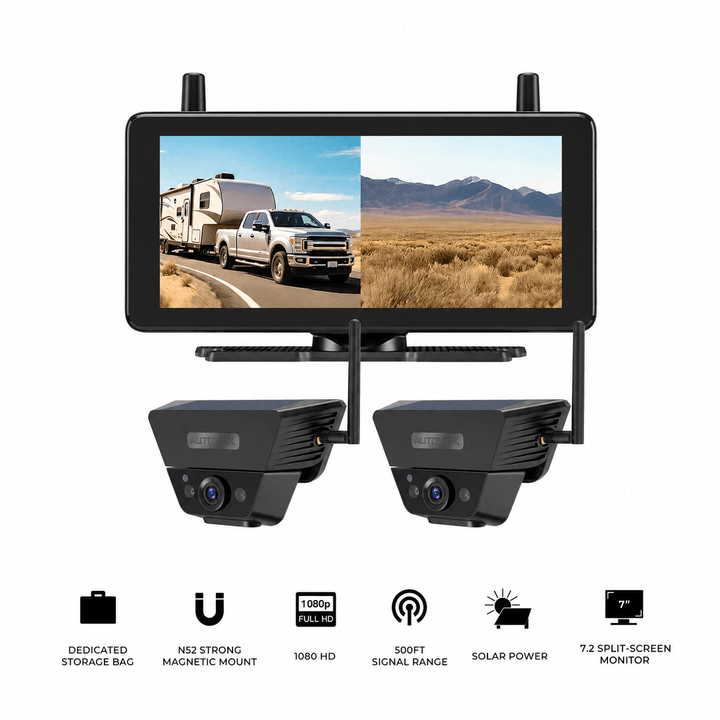

Prices and configurations may change. Confirm current product specifications, compatibility, mounting requirements, and power conditions before purchase. The products shown are primarily intended for RV and compatible trailer applications.
Frequently Asked Questions
What are the four No-Zones around a semi-truck?
The four main No-Zones are directly in front of the cab, directly behind the trailer, along the driver's side, and along the passenger's side. FMCSA educational diagrams illustrate approximately 20 feet in front, 30 feet behind, one lane on the left, and two lanes on the right. Actual blind areas depend on the vehicle and viewing conditions.
Which side of a semi-truck has the largest blind spot?
The passenger's side generally has the largest side No-Zone. It can extend across multiple lanes and along a substantial portion of the tractor-trailer combination. Drivers need particular care during right turns, merges, and low-speed maneuvering near the curb.
Where should side cameras be mounted on a semi-truck?
Tractor-side cameras are often positioned near the mirror assemblies or another suitable cab-side location and aimed rearward along the adjacent lanes. Trailer-mounted side cameras can add views farther back. The exact placement should be tested with the tractor and trailer both straight and articulated.
Can three cameras cover all four semi-truck No-Zones?
A rear-plus-left-plus-right system provides three selected viewing directions. It does not automatically cover the close front No-Zone. A separate forward-facing or curb-side camera may be useful when that area is a significant visibility concern.
Can a rear camera on the tractor show behind the trailer?
A tractor-mounted rear camera may show the fifth-wheel or coupling area. Once a full-size trailer is connected, the trailer blocks the camera's view of the roadway behind the complete combination. A camera mounted at the trailer rear provides a direct view of that area.
Can a wireless camera work on a 53-foot semi-trailer?
Some long-range wireless systems may operate across that distance, but real performance depends on the trailer structure, cargo, cab, antenna locations, and interference. Test the complete tractor-trailer combination and verify compatible power and mounting before committing to the installation.
Final Thoughts: Match Each No-Zone With the Right View
The four semi-truck No-Zones are easier to understand when each is connected to a specific visibility problem.
The front No-Zone concerns the area immediately ahead of the elevated cab. The rear No-Zone sits behind the trailer, beyond the direct view from the tractor. The left and right No-Zones extend alongside the vehicle, with the passenger's side generally presenting the larger challenge.
Camera placement should follow those differences.
A high trailer-rear camera can provide additional information behind the combination. Cab-mounted side cameras can show selected areas beside the truck. A forward-downward or curb-side camera can address a specific close-range view that rear and side cameras may leave uncovered.
Before installing a system:
- Identify the blind areas that remain difficult to see with the existing mirrors.
- Assign each camera to a specific front, rear, left, or right viewing need.
- Check camera position with the tractor and trailer straight and during normal articulation.
- Choose a monitor that displays the required camera views clearly.
- Confirm electrical compatibility, mounting security, and wireless or wired signal performance.
- Continue regular mirror scanning, direct observations, walk-arounds, and commercial driving procedures.
A well-planned camera layout can provide additional visual context around the areas that matter during driving, turning, and backing. The cameras remain one part of the overall visibility routine.
Start with the four No-Zones, determine which views are missing, and place each camera where it adds useful information to the driver's existing mirrors and observations.


