



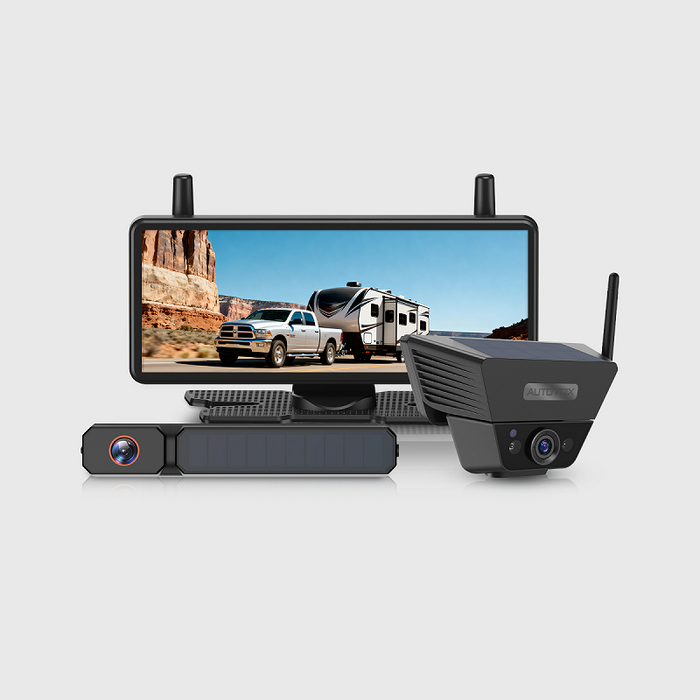
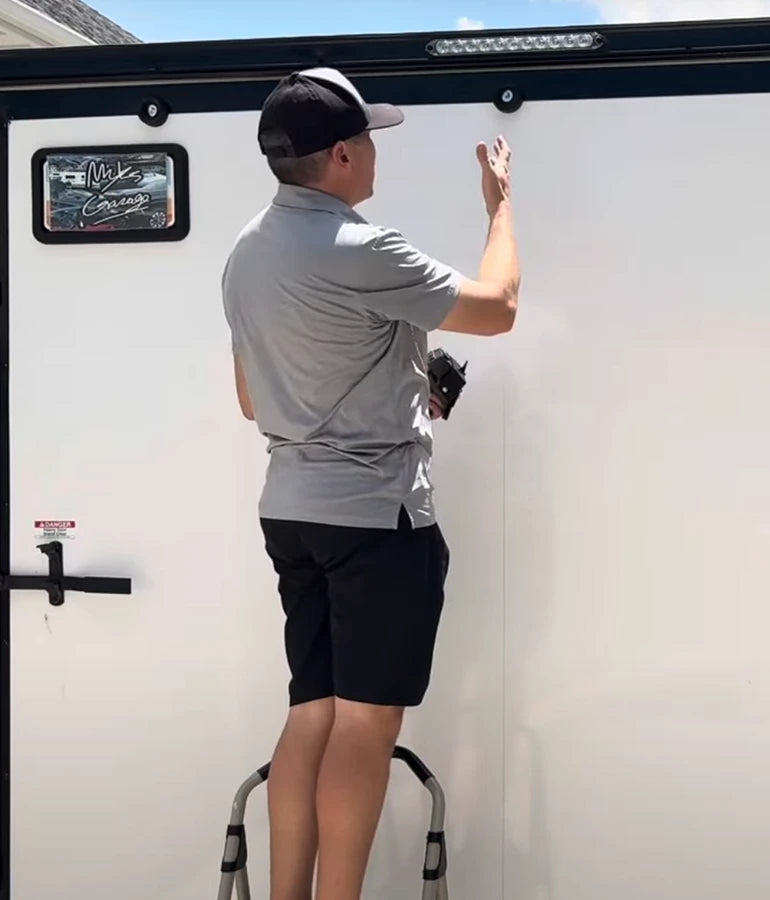
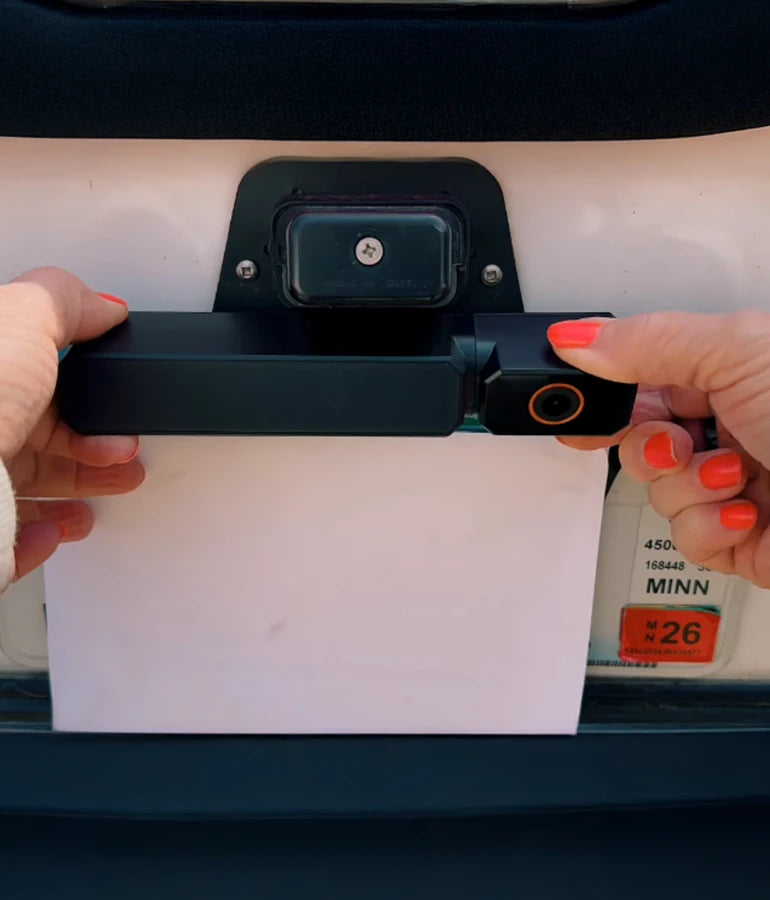
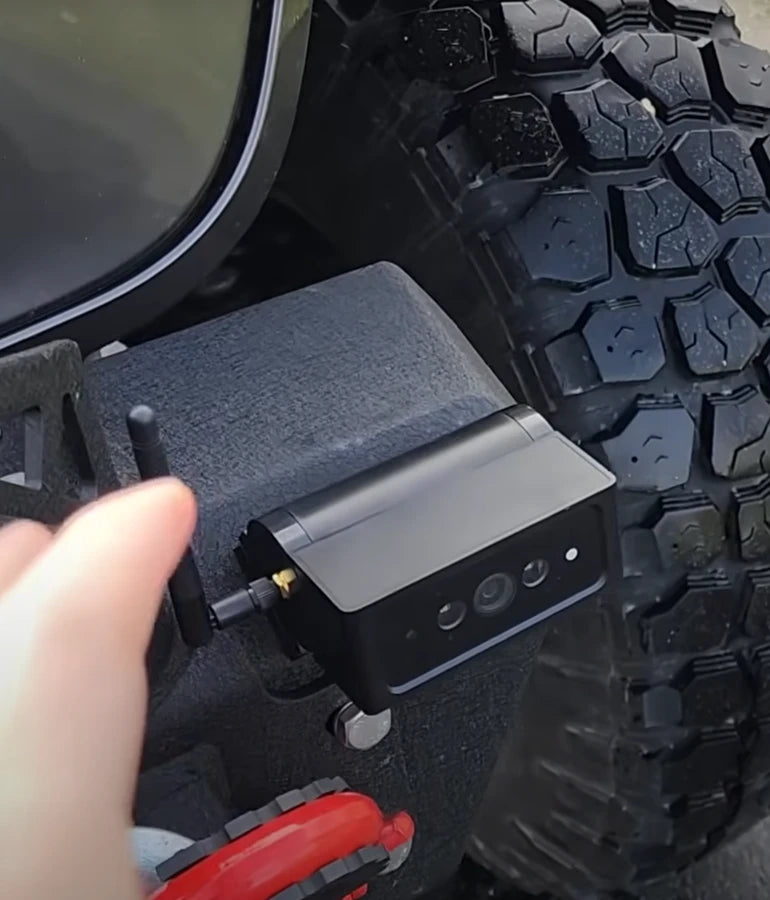
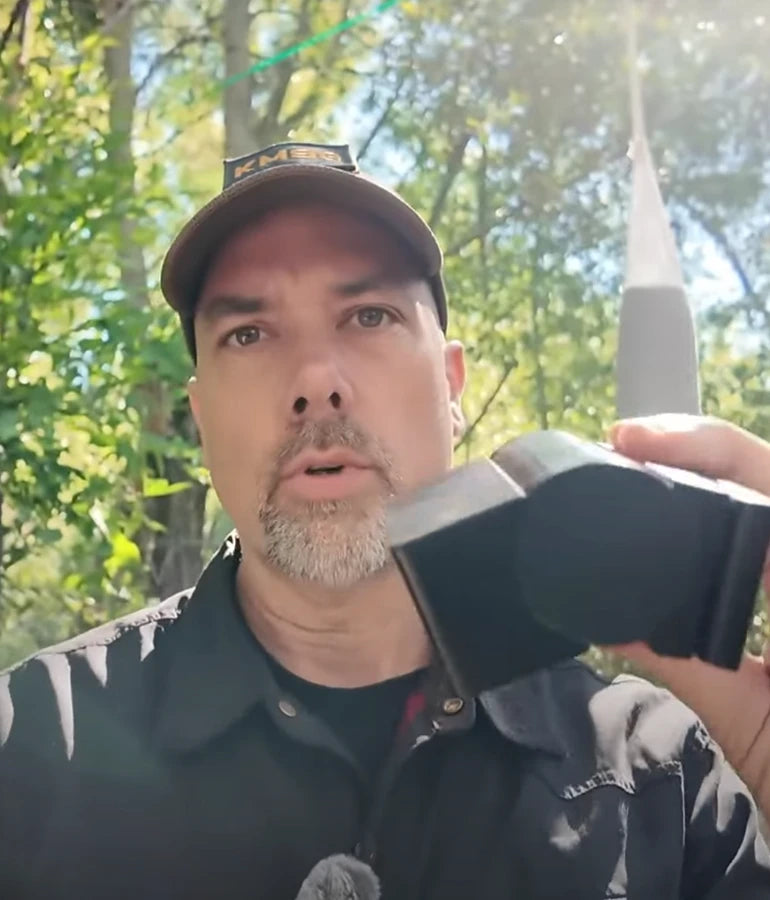
Is installation of AUTO-VOX backup cameras complicated?

Drive Smarter Every Day — Safer Parking, Clearer Vision.
Drive Smarter Every Day — Safer Parking, Clearer Vision.
Perfect for city driving, trailers, and family vehicles.

AUTO-VOX Solar5 Series
One Fixed, One Flexible
From Daily Commute to Weekend Haul—Snap, Sync, and Go on Any Vehicle.

New AUTO-VOX WF Series
Three Cameras.
One Safer RV Journey.
Modular, Expandable, Made for RVs.

ABOUT
AUTO-VOX
Trusted by 500,000+ Drivers Worldwide.
The smarter way to see what’s behind.

Worldwide Shipping
Available in more than 20 countries.
SUPPORT 24/7
24/7 Support, anytime you need it.
100% PAYMENT SECURE
Shopify official payment, 100% secure payment guaranteed.
30-Day Return Policy
Support 30-day no-reason return and exchange.
Quick Finder

With DVR
For Cars & SUVs
For RV
For Trailers
Multi-camera
Rearview Mirror
Top Picks for Every Driver
Shop by Category
Camping & RVing
Explore freely. Park anywhere.

Towing & Trailers
Hook up. Back up right.

Daily Commute
Park easy. Stay safe.

Power & Connection
Solar Series
Dual power supply — solar + USB, no wiring needed. Install in 1 minute, enjoy stable 500+ ft signal across all vehicle types. Smart, effortless, and eco-friendly.


Wireless Series
Strong signal, zero hassle. Powered by AutoLink™ 2.4GHz transmission for stable, long-distance performance. Just connect the camera to the reversing light, plug in the monitor — and drive with confidence.

Wired Series
Classic connection, ultimate reliability. Hardwired setup ensures real-time, interference-free video at all times. Built for family vehicles that value consistency and durability.



Drive with Confidence & Ease
Founded in 2007, AUTO-VOX specializes in auto safety electronics.
We offer a complete range of products —wired, wireless, and solar-powered-focused on making driving safer and easier.
What Our Customer Say
Steven Tucker
⭐️⭐️⭐️⭐️⭐️

“We got few wireless back up camaras from Auto-Vox. It's easy to install and have good signal. I've used it for travel trailer so it's about 30' from the camara to monitor and still works really good. Very happy with the products. Reliable company.”
Solar4 A 1080P Wireless Backup Camera

Jerry
⭐️⭐️⭐️⭐️⭐️

I don't usually write reviews, but I must in this case! ! had some trouble at first. These folks walked me through and even sent replacement equipment. Awesome!! Very good quality...clear, easy to instaall..
Solar3A Plus 1080P Wireless Backup Camera
Adan
⭐️⭐️⭐️⭐️⭐️

Unfortunately we had some trouble with our reversing camera. We contacted Auto-Vox and corresponded with Kaya. Excellent customer service which is seldom nowadays. Always quick to respond and very professional.
Solar3A Plus 1080P Wireless Backup Camera
sgallery
⭐️⭐️⭐️⭐️⭐️

I purchased a back up camera from my Rv last year September 2023 and was so impressed I opted to purchase another one to use as a trail camera on the front of my jeep while offroading for this year while we are in Arizona, important to see what you are about to go over before you actually climb onto it.
V5 Pro 1080P Rear View Mirror Dash Cam
John
⭐️⭐️⭐️⭐️⭐️

Mounted to the bottom of the license plate. Trunk handle is on top. Very clear image and strong connection. Installation instruction were clear and concise. I would recommend.
Solar4 A 1080P Wireless Backup Camera
Sandra
⭐️⭐️⭐️⭐️⭐️

I ordered a solar 1 back up camera very easy to fit and use hardest thing was to get the number plate off the car very good product at a good price delivery was 4
day
V5 Pro 1080P Rear View Mirror Dash Cam
BlogS

By AaliyahGloria
Guides
Apr 30, 2026
If you drive an older car, you do not have to give up modern convenience just because your dashboard was designed before backup cameras and CarPlay became common.
In fact, adding both is often easier than people expect.
That is why this topic gets so much search interest. Drivers are not always looking for a full head-unit replacement or an expensive custom install. Most want a simpler answer:
-
Can I add a backup camera to my older car?
-
Can I also get CarPlay without tearing apart the dashboard?
-
Is there an easier all-in-one option than buying separate parts?
The answer is yes.
For many older cars, the best upgrade path is no longer a complicated stereo swap. A newer generation of portable backup camera systems with CarPlay can give you rear visibility, navigation, calls, and music in one setup, without the labor and compatibility headaches that come with a traditional head-unit replacement.
That is exactly where a product like AUTO-VOX Vista RC08 becomes interesting. Even though it is positioned strongly for RV use, the reason it matters for this topic is bigger than the vehicle category. It represents a smarter upgrade model: an integrated screen, wireless camera support, wireless CarPlay and Android Auto, and easier installation than the old “replace everything in the dash” approach.
Quick Answer: What Is the Best Way to Add a Backup Camera to an Older Car With CarPlay?
| Upgrade Path | Best For | Pros | Cons |
|---|---|---|---|
| Replace the factory head unit | Drivers who want a built-in look | Clean OEM-style finish, can integrate audio and camera | More expensive, more labor, fitment varies by car |
| Add a separate backup camera + portable CarPlay screen | Drivers who want flexibility | Easier than a full stereo swap, lower install complexity | Two pieces to manage, more setup decisions |
| Use an all-in-one display with CarPlay and rear camera support | Drivers who want the easiest modern upgrade | Simple setup, modern features, less dashboard surgery | Not as factory-integrated as a custom head unit |
For most older cars, the best answer is usually the one that gives you the fewest fitment problems and the most useful features for the least installation hassle.
Why Older Cars Need a Different Upgrade Strategy
Adding a backup camera to a newer vehicle is sometimes as simple as enabling a factory screen or adding a vehicle-specific retrofit kit.
Older cars are different.
Depending on the year and trim, you may be dealing with:
-
no factory screen at all
-
no camera input
-
outdated stereo dimensions
-
limited integration support
-
extra labor for wiring and trim removal
That is why many older-car owners end up stuck between two bad choices:
-
spend more than they want on a full custom install
-
settle for a basic low-cost camera with a separate tiny monitor
But there is a better middle ground now.

Instead of rebuilding the dashboard, many drivers can use a modern display solution that adds CarPlay, Android Auto, and a rear camera view at the same time.
The Three Most Common Ways to Add a Backup Camera to an Older Car
1. Replace the Factory Stereo
This is the classic route.
You remove the original head unit and install an aftermarket one with:
-
Apple CarPlay
-
Android Auto
-
backup camera input
-
Bluetooth
-
touchscreen navigation and media
This can work well, especially if you want the most built-in look possible.
But it also brings the most complexity:
-
dash kit fitment
-
wiring harness adapters
-
potential steering wheel control retention modules
-
higher labor cost
-
more variables depending on your exact vehicle
For some older cars, this is still a great option. But for many everyday drivers, it is more work than they want.
2. Add a Backup Camera to a Separate Screen
The second route is simpler.
Instead of replacing the stereo, you install:
-
a backup camera
-
a separate monitor or mirror display
This is often easier on older vehicles, especially when the goal is safety first. License plate-mounted and wireless kits are especially popular here because they reduce the amount of modification needed.
The downside is that this setup solves only part of the problem. You get a backup camera, but not necessarily CarPlay.
If your goal is just reversing help, this can be enough. But many drivers want more than that. They want maps, calls, music, and voice control too.
3. Use a CarPlay Display That Also Supports a Backup Camera
For many people, this is now the smartest option.
You get:
-
a dedicated screen
-
wireless CarPlay or Android Auto
-
backup camera support
-
easier installation than a full stereo replacement
That is why this category has become so attractive for older cars. It gives you the two upgrades most drivers want most, without requiring a full dashboard rebuild.

Why This Is Often Better Than a Traditional Head Unit Swap
A full stereo replacement can still be the right call for enthusiasts or drivers who want a cleaner integrated look.
But for many people, a portable or add-on CarPlay screen with camera support is a better fit because it:
-
avoids factory fitment issues
-
reduces installation time
-
lowers labor costs
-
works across a wider range of older vehicles
-
delivers modern features without a total dash overhaul
That matters especially for:
-
older sedans
-
older family cars
-
second vehicles
-
commuter cars
-
cars you want to keep for several more years but not fully rebuild
If your goal is practical modern convenience, the easier path is often the better path.
What to Look for in a Backup Camera + CarPlay Upgrade
Not every system solves the same problem.
If you are shopping for an older car upgrade, prioritize these features:
Wireless CarPlay and Android Auto
You want everyday convenience, not more cable clutter. Wireless phone integration makes the upgrade feel truly modern.
Clear Backup Camera Image
A rear camera is only useful if the view is actually easy to read when parking. Look for at least 1080P-level clarity when possible.
Easy Installation
The best system for an older car is often the one that avoids complicated dash disassembly and unnecessary rewiring.
Stable Wireless Signal
If the system uses a wireless camera, stable transmission matters. You do not want lag or connection drop while backing up.
A Usable Screen Size
A tiny screen makes the upgrade less useful. A larger touchscreen gives you a better CarPlay experience and a more comfortable reverse view.
Why Vista RC08 Is a Smart New Option for This Topic
If you are looking for the easiest way to modernize an older vehicle, Vista RC08 deserves attention because it combines several features that older-car owners usually have to piece together separately.
With Vista RC08, you are not just buying a backup camera. You are getting a broader upgrade package that includes:
-
an 8-inch IPS touchscreen
-
1080P Full HD rear camera resolution
-
wireless Apple CarPlay and Android Auto
-
digital wireless 2.4GHz transmission
-
dual antennas for a more stable camera signal
-
IR night vision
-
built-in speaker and microphone
-
support for quick setup without complicated installation
That makes it especially appealing for drivers who want one screen to handle both daily phone integration and reversing visibility.
In older cars, that convenience matters. Instead of chasing screen compatibility, camera inputs, harness adapters, and labor quotes, you can move toward a more direct upgrade path.
What Makes Vista RC08 Different From a Basic Backup Camera
A basic camera kit solves one issue: seeing behind the car.
Vista RC08 goes further by helping solve the larger “old car modernization” problem.
It gives you:
-
rear visibility when reversing
-
navigation and calls through CarPlay
-
Android Auto support for non-iPhone users
-
voice-friendly daily driving convenience
-
a larger, more readable screen than many simple camera-only kits
That is why it fits this article topic so well. People searching for the best way to add a backup camera to an older car with CarPlay are usually not shopping for a camera alone. They are looking for a smarter upgrade path.
Vista RC08 fits that intent.
Is Vista RC08 Only for RVs?
It is marketed strongly as an RV backup camera with CarPlay, and that positioning makes sense because larger vehicles benefit a lot from rear visibility and stable wireless transmission.
But the reason it is still useful in this conversation is that the product concept solves a problem older-car drivers also have: how to add a modern screen and a rear camera without turning installation into a full custom stereo project.
That makes it especially relevant for:
-
older vehicles without factory displays
-
drivers who want a simpler install path
-
people who value CarPlay as much as the camera itself
-
buyers who want one modern display rather than multiple separate devices
When a Traditional Head Unit Still Makes Sense
To keep this balanced, a full stereo replacement can still be the best path if:
-
you want the most factory-style appearance
-
you plan to keep the car long term and want permanent integration
-
your vehicle has excellent aftermarket stereo support
-
you want full audio system upgrades at the same time
But if your real goal is simpler—add a good reverse view and modern smartphone integration—then an easier screen-based solution is often the more practical answer.
Which Older Cars Benefit Most From This Type of Upgrade?
This kind of setup is especially helpful for:
-
cars from the 2000s and early 2010s
-
vehicles with Bluetooth but no screen
-
vehicles with outdated factory radios
-
family cars that lack modern reversing visibility
-
older commuter cars you want to keep but improve
It is also a good fit for drivers who do not want to spend heavily on custom labor.
Common Mistakes to Avoid
Buying a Camera Without Thinking About the Display
A backup camera alone is not enough if you also want CarPlay. Think about the whole driver experience, not just the rear view.
Overcommitting to a Full Stereo Swap
A custom head-unit install is not always necessary. For many older cars, it adds more complexity than value.
Choosing the Cheapest Screen Possible
A low-end display may technically work, but poor image quality, lag, or a weak interface can make the upgrade disappointing.
Ignoring Installation Practicality
The best system on paper is not the best system if it is hard to install on your particular car.
Final Thoughts
The best way to add a backup camera to an older car with CarPlay is usually the one that gives you modern functionality without unnecessary installation headaches.
For some drivers, that will still mean replacing the factory head unit.
But for many others, the smarter answer is a modern all-in-one display that combines:
-
a larger screen
-
wireless CarPlay or Android Auto
-
backup camera visibility
-
easier setup than a full stereo replacement
That is why Vista RC08 stands out as a strong featured product for this topic. It shows how far aftermarket camera systems have evolved. Instead of buying one device for reversing and another for phone integration, you can now choose a system designed to handle both in a more convenient way.
If your older car still runs well but your dashboard feels outdated, this type of upgrade can be one of the easiest ways to make the vehicle feel safer, smarter, and much more enjoyable to drive.
For drivers exploring a modern rear-view upgrade, start with AUTO-VOX’s main backup camera collection. If your priority is a screen-based system with integrated phone features, the Vista RC08 backup camera with CarPlay is the most relevant product to explore next. If you prefer a simpler wireless rear camera kit first, AUTO-VOX also offers wireless backup camera options for easier everyday upgrades.
FAQs
Can you add a backup camera to an older car?
Yes. Older cars can usually be upgraded with either a standalone backup camera kit, a replacement head unit with camera input, or a CarPlay display that also supports a rear camera.
What is the easiest way to add CarPlay and a backup camera to an older car?
For many drivers, the easiest route is a dedicated display that supports both wireless CarPlay and a backup camera, because it avoids a full stereo replacement and reduces installation complexity.
Do I need to replace my factory stereo to get a backup camera and CarPlay?
No. A full stereo replacement is one option, but it is not the only one. Many newer aftermarket display systems can add both features without replacing the original radio.
Is wireless or wired better for an older car backup camera?
Wireless is often easier to install, especially for older cars where owners want less disassembly and fewer routed cables. Wired can still be a good choice if you want a more permanent setup and do not mind more installation work.
Is Vista RC08 a good fit for older vehicles?
It can be a strong fit for drivers who want one screen for both rear visibility and wireless CarPlay or Android Auto, especially when they want an easier alternative to a full head-unit replacement.
What matters most when choosing a backup camera for an older car?
The most important factors are installation ease, screen usability, image quality, stable signal performance, and whether the system also gives you the phone integration features you want.

By AaliyahGloria
Guides
Apr 30, 2026
Upgrading an older RV sounds simple at first.
You want Apple CarPlay for navigation, music, hands-free calls, and a more modern driving experience. You also want a backup camera for safer reversing, easier parking, and better rear visibility on the road. In theory, these two upgrades should work well together.
In practice, older RVs often turn that plan into a frustrating project.
Some RV owners install a CarPlay screen and then realize it does not work well with a rear camera. Others buy a backup camera first, only to find that installation is more complicated than expected. Some systems work only with certain wiring layouts. Some adapters do not switch smoothly to the camera view. Some screens support CarPlay but are not built to handle RV-style reversing needs very well.
That is why this topic matters so much for older motorhomes, travel trailers, camper vans, and pre-wired RVs. The problem is usually not whether CarPlay or a backup camera is useful. The problem is whether the two can work together in a way that is practical.
This guide explains the most common problems, the upgrade paths that make the most sense, and why an integrated product like AUTO-VOX Vista RC08 can be a smarter answer for many RV owners than trying to piece everything together.
Quick Answer: Why Is It Tricky to Add CarPlay and a Backup Camera to an Older RV?
| Problem | What Usually Happens | Why It Becomes a Headache |
|---|---|---|
| CarPlay screen does not support the camera well | You get phone features but weak or awkward camera integration | CarPlay alone does not guarantee rear camera compatibility |
| Backup camera install is harder than expected | Wiring, adapters, or screen connections become complicated | Older RV layouts vary a lot by age, prep type, and brand |
| Reverse view does not switch automatically | The display stays on CarPlay unless wiring is done correctly | Automatic switching often depends on the reverse trigger setup |
| Signal or wiring is unreliable | Camera feed lags, drops, or becomes inconsistent | Long RV bodies and older wiring setups create more challenges |
| You end up buying multiple separate pieces | Screen, adapter, camera, and install labor all add up | The project gets more expensive and less user-friendly |
Why Older RVs Create More Compatibility Problems Than Cars
A regular older car can already be tricky to upgrade. An older RV is often harder.
That is because RVs usually involve:
-
longer body length
-
more varied factory prep standards
-
more brand-to-brand wiring differences
-
larger blind spots
-
a greater need for a stable rear view during both reversing and driving
In many cases, the original dash setup in an older RV was not designed around today's plug-and-play expectations. Even if you can physically add a CarPlay screen, that does not automatically mean the backup camera will integrate the way you want.
This is where many buyers run into the first big surprise:
CarPlay support is not the same thing as backup camera compatibility.
A screen may support wireless CarPlay and still leave you asking:
-
Can it connect to my existing camera?
-
Will it auto-switch into reverse view?
-
Does it support continuous rear monitoring while driving?
-
Will it work with my RV's prep interface?
-
Is the install going to require much more wiring than I expected?
That is the real search intent behind this topic.

Problem 1: You Can Add CarPlay, but the Rear Camera Setup Still May Not Work Well
A lot of buyers assume that once they add CarPlay, the backup camera part will be easy.
That is not always true.
CarPlay itself is mainly about phone integration. It gives you:
-
maps
-
calls
-
music
-
voice control
-
messages
-
app access
What it does not automatically guarantee is smooth backup camera handling.
The most common problems include:
-
the screen has CarPlay but no convenient camera input
-
the camera feed does not switch on automatically when reversing
-
the camera image quality feels weak on the display
-
the system does not support a stable rear view while driving
-
the setup depends on extra adapters, trigger wires, or custom work
This is especially important for older RVs because many owners do not only want a reverse-only image. They often want:
-
a clear view when backing into campsites
-
better confidence when parking a larger rig
-
rear monitoring while driving on the highway
-
a setup that feels simpler than a full dash rebuild
If the screen handles CarPlay well but handles the camera poorly, the upgrade feels incomplete.
Problem 2: Some Backup Camera Systems Are Good, but the Installation Is Not Easy
The second big issue is the opposite one.
Some backup cameras offer good visibility, but they do not solve the bigger integration problem. You still have to figure out:
-
where the screen will go
-
how it connects to power
-
whether it works with your existing setup
-
how to switch between rear view and other functions
-
whether you need professional installation
That is where many RV owners lose time and money.
On paper, the shopping process looks straightforward:
-
Buy a CarPlay screen
-
Buy a backup camera
-
Connect them
-
Start driving
But older RV upgrades rarely stay that simple.
Instead, people often discover:
-
the screen and the camera were not designed around the same workflow
-
the installation needs more wiring than expected
-
the reverse trigger setup is confusing
-
the camera and monitor do not feel like one seamless system
-
the result works, but not elegantly
That is why “it supports a backup camera” is not enough. In older RVs, installation convenience matters just as much as technical compatibility.
What RV Owners Actually Want
Most older RV owners are not trying to build a custom showpiece dashboard.
They want something practical:
-
easier navigation
-
a modern screen
-
safer reversing
-
less installation hassle
-
fewer parts to manage
-
better confidence on the road
That is why the best solution is often not the one with the longest feature list. It is the one that solves the most real-world problems at once.
For many buyers, the most important questions are:
-
Will it work with my older RV?
-
Will the rear camera actually display the way I expect?
-
Can it stay active while driving?
-
Will it take a huge installation project to get everything working?
-
Is there a cleaner all-in-one path?

The Three Main Upgrade Paths for Older RVs
1. Install a CarPlay Head Unit and Add a Separate Backup Camera
This is the traditional route.
You replace the dash unit, add CarPlay, and then wire in a separate backup camera.
Pros
-
Can look more built-in
-
Gives you a modern infotainment feel
-
Works well if your RV has strong aftermarket support
Cons
-
More installation complexity
-
More variables with wiring and fitment
-
More likely to need extra adapters or labor
-
Can get expensive quickly
This route can work, but it is rarely the easiest option for older RV owners who mainly want convenience.
2. Add a Backup Camera First and Keep CarPlay Separate
This is the simpler safety-first route.
You install a backup camera system and leave the CarPlay problem for later.
Pros
-
Faster path to improved rear visibility
-
Good if safety is the main priority
-
Lower commitment at the start
Cons
-
You still do not solve the screen and phone integration problem
-
You may end up buying another screen later
-
The final setup can feel pieced together
This is better than doing nothing, but it does not fully solve the “older RV modernization” problem.
3. Use an Integrated System That Combines CarPlay and Rear Camera Support
This is the route many RV owners now prefer.
Instead of mixing separate systems, you choose a display that is already built around both needs:
-
CarPlay
-
Android Auto
-
rear camera visibility
-
automatic switching for reversing
-
easier installation than a full custom dash replacement
For many older RVs, this is the sweet spot because it reduces the number of compatibility questions you have to solve separately.
Why Vista RC08 Fits This Problem So Well
This is exactly why AUTO-VOX Vista RC08 stands out.
Instead of treating CarPlay and rear visibility as two disconnected upgrades, Vista RC08 is designed as one system.
Based on the current AUTO-VOX product page, Vista RC08 combines:
- an 8-inch HD display
- wireless Apple CarPlay and Android Auto
- 1080P HD rear camera clarity
- dual antennas
- up to 200FT wireless signal
- IR night visibility
- DVR loop recording
- support for RVs with factory prep or simple wiring
- two installation-based viewing options: reverse mode and driving monitor mode
In reverse mode, the system is wired like a typical backup camera setup and switches to the rear view when the vehicle is shifted into reverse. In driving monitor mode, the system is installed for continuous rear viewing while driving. It is important to note that these are not two modes designed for casual day-to-day switching on the screen. They depend on different wiring setups, so users should choose the mode that best fits their needs during installation. Changing from one mode to the other later may require rewiring.
That combination matters because it addresses the real problems older RV owners face.
It solves the “CarPlay but no proper camera integration” problem
Vista RC08 is not just a CarPlay screen. It is built around rear camera use too.
It solves the “backup camera but not easy to install” problem
The product page positions it for quick installation with no complicated wiring, especially for RVs with factory prep.
It solves the “I want rear view while driving, not just when reversing” problem
Vista RC08 supports both driving monitoring mode and reversing mode, which is especially useful in larger RVs where rear visibility matters beyond parking.
It reduces the need to piece together multiple separate products
Instead of buying a screen, then an adapter, then a camera, then trying to make them behave like one system, you start with a setup already designed around that combined use.

Why Automatic Camera Switching Is a Bigger Deal Than People Think
One of the most overlooked issues in older RV upgrades is how the screen behaves when you shift into reverse.
In a good setup:
-
you use CarPlay normally while driving
-
the screen switches to the camera view when reversing
-
the system returns to your normal interface afterward
In a messy setup:
-
you have to switch modes manually
-
the trigger wiring is inconsistent
-
the camera appears only sometimes
-
the rear image feels delayed or unreliable
This is not a small detail. On a large motorhome or trailer, easy automatic switching makes the difference between a system that feels helpful and one that feels annoying.
That is one reason integrated RV-focused solutions are often a better fit than generic CarPlay screens that treat camera support as a secondary feature.
Why Installation Is Often the Deciding Factor
Most buyers start by comparing features.
But once they get deeper into the upgrade process, installation becomes the real deciding factor.
A product that looks powerful on paper may still be the wrong choice if it requires:
-
too much rewiring
-
complex dash disassembly
-
extra signal converters
-
guesswork around reverse triggers
-
too many separate components
That is why older RV owners should judge products not only by features, but by the full experience:
-
how many parts are involved
-
how clean the setup is
-
whether the camera and screen feel designed to work together
-
whether the install is realistic for a normal owner
The easier the system is to set up correctly, the more likely it is to be used and trusted every day.
Who Should Choose an Integrated CarPlay + Backup Camera System?
This kind of upgrade makes the most sense for RV owners who:
-
have an older dashboard that feels outdated
-
want CarPlay without a full head-unit rebuild
-
need a practical rear camera setup
-
care about both reversing and rear monitoring while driving
-
want fewer compatibility surprises
-
prefer one cleaner upgrade instead of several separate pieces
It is especially attractive for:
-
older Class A, B, and C motorhomes
-
travel trailers
-
fifth wheels
-
camper vans
-
pre-wired RVs where faster installation is possible
When a Separate CarPlay Screen or Head Unit Still Makes Sense
To keep things balanced, there are cases where separate solutions still work well.
A traditional head-unit replacement may make sense if:
-
your RV has strong dash fitment support
-
you want the most built-in appearance possible
-
you are already planning a broader audio or dash upgrade
-
you are comfortable with more installation complexity
A separate camera system may make sense if:
-
your only priority is rear visibility
-
you do not care much about CarPlay
-
you want the simplest first-step safety upgrade
But if your goal is to solve both problems at once, an integrated system usually makes more sense.
What to Check Before You Buy
Before choosing any older RV upgrade, check these points:
1. Does your current setup already have factory prep?
If yes, installation may be much easier.
2. Do you want reverse-only viewing or continuous rear monitoring?
That choice affects what kind of system makes sense.
3. Are you trying to keep your existing dash unit?
If yes, a separate screen-based solution may be easier than a full head-unit swap.
4. Do you want wireless CarPlay?
If yes, make sure the product supports it directly, not through a confusing chain of adapters.
5. Is installation simplicity a top priority?
If yes, do not underestimate how much value there is in a system designed around RV use from the start.
Final Thoughts
Yes, you can add CarPlay and a backup camera to an older RV.
But the reason so many owners struggle is that the two upgrades do not automatically fit together just because both features exist on the market.
That is the core problem:
-
some systems give you CarPlay without truly solving rear camera compatibility
-
some systems give you a backup camera without making installation easy
-
some solutions technically work, but only after too many adapters, too much wiring, or too much compromise
For older RVs, the smartest path is often the one that reduces friction from the start.
That is why a product like Vista RC08 feels much more relevant than a generic “CarPlay plus camera” concept. It is built around the real-life needs RV owners actually have: easier installation, clear rear visibility, wireless phone integration, and a more natural driving experience.
If you want to explore RV-ready options first, start with the main backup camera for RV collection. If you want the most direct fit for this topic, the Vista RC08 backup camera with CarPlay is the product most closely aligned with older RV owners who want one cleaner upgrade path.
FAQs
Can I add Apple CarPlay and a backup camera to an older RV?
Yes, but compatibility depends on the screen, camera input method, wiring layout, and whether the system can switch properly to the rear view when reversing.
Why doesn't every CarPlay screen work well with a backup camera?
Because CarPlay support mainly handles phone integration. It does not automatically guarantee good rear camera compatibility, automatic switching, or easy installation.
What is the biggest problem when upgrading an older RV with CarPlay?
The biggest problem is usually integration. Many RV owners can add CarPlay or a camera separately, but getting both to work together smoothly is where the project becomes difficult.
Is a wireless RV camera system easier to install than a wired one?
Often yes, especially on older RVs where long cable routing can make installation more time-consuming. But the signal still needs to be stable enough for a larger vehicle.
Why is Vista RC08 a strong option for older RVs?
Because it combines wireless CarPlay, rear camera support, an 8-inch screen, dual-antenna wireless transmission, and RV-focused installation logic in one system instead of forcing you to piece together separate upgrades.
Do I need a full head-unit replacement to get CarPlay and a backup camera in an older motorhome?
Not always. Many RV owners can get both features through a dedicated integrated display system, which is often easier than replacing the entire dash unit.

By AaliyahGloria
Guides
Apr 19, 2026
If you want a backup camera but do not want to deal with tapping reverse lights, routing cables through trim, or drilling into your vehicle, you are not alone.
That is exactly why no-wiring backup cameras have become so popular.
For everyday drivers, the appeal is simple:
-
faster setup
-
less installation stress
-
no complicated hardwiring
-
easier DIY installation at home
-
a cleaner upgrade path for cars, trucks, trailers, and RVs
The best part is that many newer wireless systems are no longer just “good enough.” They now offer sharper video, more stable signals, better battery life, solar assist charging, and even larger screens or dual-camera support.
That means you do not have to choose between convenience and a useful rear view.
Quick Comparison: Which Easy-Install Backup Camera Is Best for You?
| Model | Best For | Why It Stands Out |
|---|---|---|
| AUTO-VOX Solar3A Plus | Best overall for most drivers | Quick no-wiring setup, 1080P image quality, solar assist, and broad vehicle compatibility |
| AUTO-VOX Solar1 Pro Max | Best for simple everyday upgrades | Fully wireless design, DVR, night vision, and easy DIY installation |
| AUTO-VOX Solar3A Plus Max | Best for a larger screen | Bigger 7.2-inch display, stronger wireless signal, and DVR recording |
| AUTO-VOX Solar 5A | Best magnetic option for RVs and campers | Fast magnetic mounting, no wiring, and flexible placement |
| AUTO-VOX Solar5C | Best for drivers who want more flexibility | Dual-camera system with both magnetic and license plate mounting |
What “No Wiring Required” Really Means
This phrase is one of the biggest reasons people click on these products, but it is worth understanding clearly.
In most cases, “no wiring required” means:
-
the camera does not need to be connected to your reverse light wiring
-
you do not need to run video cables through the vehicle body
-
you do not need a complicated hardwired installation
-
the camera is battery-powered and often supported by solar charging
-
the monitor usually plugs into a car charger or similar simple power source
So while the system is not always completely cable-free in every single part, it is dramatically easier than a traditional wired camera install.
For most buyers, that difference is what matters.

Why Easy Install Backup Cameras Are So Popular Now
Traditional wired backup cameras can still make sense for certain permanent installations, but many drivers simply do not want to spend an afternoon dealing with:
-
trim removal
-
hidden cable routing
-
drilling
-
reverse light splicing
-
professional installation fees
A no-wiring wireless backup camera solves that pain point.
It is especially appealing if you:
-
lease your vehicle
-
do not want to modify factory wiring
-
want a cleaner DIY setup
-
need a camera on a trailer, camper, or RV
-
prefer something you can install in minutes instead of hours
That is why easy-install systems are no longer just a niche option. For many drivers, they are the default choice.
1. AUTO-VOX Solar3A Plus
Best Overall No-Wiring Backup Camera
The AUTO-VOX Solar3A Plus is the easiest model to recommend for most people because it hits the sweet spot between simplicity, clarity, and price.
Why it stands out:
-
very fast installation
-
no wiring or drilling for the camera
-
1080P image quality with night vision
-
battery-powered design with solar assist charging
-
works for cars, RVs, and camping trailers
-
dual-channel support if you want to add another camera later
This is the kind of system that makes sense for drivers who want a practical upgrade without overthinking the purchase.
If your goal is to get a clear rear view with the least hassle possible, this is the most balanced option in the group.

2. AUTO-VOX Solar1 Pro Max
Best for a Clean Everyday DIY Upgrade
The AUTO-VOX Solar1 Pro Max is a strong choice for drivers who want a straightforward, fully wireless system with a slightly more feature-rich feel than a basic entry model.
Why it works well:
-
completely wireless camera design
-
easy wire-free DIY installation
-
1080P image quality and night vision
-
built-in DVR recording
-
solar support to help extend battery life
-
compact 5-inch monitor for simple daily use
This model is especially good for:
-
sedans
-
SUVs
-
pickups
-
drivers who want easy installation without giving up recording features
If you want something easy to install but still want DVR and a polished everyday user experience, Solar1 Pro Max is one of the smartest picks.

3. AUTO-VOX Solar3A Plus Max
Best Easy-Install Backup Camera With a Bigger Screen
Some drivers want the same easy setup but do not want to settle for a smaller display.
That is where the AUTO-VOX Solar3A Plus Max stands out.
Why people choose it:
-
larger 7.2-inch anti-glare display
-
stronger dual-antenna wireless performance
-
built-in DVR loop recording
-
easy wireless installation
-
a better fit for drivers who want a wider, easier-to-read view
This model makes a lot of sense if you:
-
drive a larger vehicle
-
want a clearer view on a bigger monitor
-
plan to use the system regularly in tighter spaces
-
like the idea of Solar3A Plus but want a more upgraded screen and signal setup
For RV owners, trailer users, and drivers who prefer a less cramped display, this is often the better choice than a standard 5-inch setup.

4. AUTO-VOX Solar 5A
Best Magnetic No-Wiring Backup Camera for RVs and Campers
If your definition of easy install means no drilling, no reverse-light wiring, and minimal effort, a magnetic model can be even more appealing than a standard license plate system.
The AUTO-VOX Solar 5A is built around that idea.
What makes it different:
-
quick magnetic installation
-
no wiring or drilling required
-
5-inch HD display
-
stable long-range wireless transmission
-
battery and solar-powered design
-
useful for RVs, campers, and flexible mounting situations
This is a great option if you want:
-
a portable-feeling setup
-
easier placement on RVs and campers
-
something less permanent than a traditional mount
-
a camera you can install quickly and actually use right away
For many RV and camper owners, magnetic mounting is the easiest route to a usable rear view without turning installation into a project.

5. AUTO-VOX Solar5C
Best Dual-Camera Easy-Install Option
The AUTO-VOX Solar5C is the most flexible option in this article because it is designed as a dual-camera system and supports both magnetic and license plate mounting.
That gives it a broader use case than a standard one-camera setup.
Why it stands out:
-
dual-camera system for more than one viewing angle
-
magnetic and license plate mounting in one package
-
3-minute quick installation
-
long wireless transmission range
-
1080P HD night vision
-
DVR recording support
This is the right choice if you want more than a basic rear view.
It is especially useful for:
-
towing
-
hitching
-
larger vehicles
-
drivers who want a second angle for blind spots or rear monitoring
-
buyers who like the idea of fast installation but want more flexibility later
It is not the cheapest model here, but it is one of the most versatile.

Which Easy-Install Backup Camera Should You Choose?
Here is the simple breakdown.
Choose Solar3A Plus if you want the best all-around value
This is the easiest recommendation for most buyers who want no wiring, a fast setup, and dependable day-to-day performance.
Choose Solar1 Pro Max if you want a clean everyday wireless upgrade
This is a great pick if you like the idea of a simple DIY installation but also want DVR and a polished feature set.
Choose Solar3A Plus Max if you want a larger display
If screen size matters to you, this is the better option over a smaller monitor model.
Choose Solar 5A if you want the easiest magnetic install
This is especially attractive for RV and camper owners who want a fast, flexible, no-drill setup.
Choose Solar5C if you want two cameras and more flexibility
If one camera angle is not enough, Solar5C gives you the most room to do more without moving to a more complicated system.
Are No-Wiring Backup Cameras Better Than Wired Ones?
Not always, but for many buyers they are the better choice.
A wired system may still make sense if you:
-
want a fully permanent factory-style install
-
do not mind complex installation
-
prefer a hardwired approach for a dedicated long-term setup
But a no-wiring system is usually the smarter option if you care about:
-
installation speed
-
easy DIY setup
-
less vehicle modification
-
easier compatibility across different vehicle types
-
avoiding installation labor costs
For most everyday drivers, the convenience advantage is hard to ignore.
What to Check Before Buying
Before choosing an easy-install backup camera, think about these questions:
-
Do you want a license plate mount or a magnetic mount?
-
Do you want a 5-inch screen or something larger?
-
Do you want DVR recording?
-
Will you need a second camera later?
-
Are you buying for a car, truck, RV, trailer, or camper?
-
Do you want the simplest install possible, or the most flexible setup?
Once you answer those, the right choice usually becomes much easier.
Final Thoughts
The best easy-install backup camera is not just the one with the highest resolution or biggest screen.
It is the one you can install quickly, trust right away, and actually enjoy using.
That is why no-wiring systems have become such a strong category. They remove the biggest barrier that stops many drivers from upgrading in the first place.
If you want a better rear view without drilling, reverse-light wiring, or a complicated install, today’s wireless battery-powered systems are much easier and much better than many people expect.
Whether you want a simple everyday camera, a larger screen, a magnetic RV setup, or a dual-camera system, there is now a much easier path to getting the visibility upgrade you want.
FAQs
Do no-wiring backup cameras really work well?
Yes. Many modern no-wiring backup cameras now offer stable wireless transmission, clear HD video, solar assist charging, and practical battery life for everyday use.
Do I need to drill holes to install these cameras?
Not usually. Many easy-install models are designed for license plate mounting or magnetic mounting, which helps avoid drilling.
Is a magnetic backup camera easier to install than a license plate one?
For many RV and camper users, yes. A magnetic camera can be even faster to mount and more flexible in placement.
Are no-wiring backup cameras good for RVs and trailers?
Yes, especially models with stronger wireless transmission and magnetic or flexible mounting options.
What is the best easy-install backup camera for most drivers?
For a balanced mix of price, simplicity, and useful features, Solar3A Plus is one of the strongest all-around picks.
What is the best option if I want more than one camera angle?
Solar5C is the best fit in this article if you want dual-camera flexibility with easy installation.
FAQ
Not at all! Our products, including the Solar5, Solar4B, Solar3A Plus feature hassle-free designs like magnetic installation and wireless setups. These make it easy to install on RVs, trailers, and other large vehicles without professional assistance.
Are AUTO-VOX backup cameras compatible with all vehicle types?
Yes, Auto-Vox offers a wide range of products tailored to different vehicle types, including cars, trucks, RVs, trailers, and vans. For example, the Solar3C is specifically designed for large vehicles, while other models cater to standard cars and smaller vehicles.
How does AUTO-VOX ensure the product's durability in extreme weather?
AUTO-VOX products are built with high-quality, weather-resistant materials. They are designed to withstand extreme heat, cold, rain, and snow, ensuring reliable performance in all conditions.
What are the benefits of shopping with AUTO-VOX?
We offer free shipping across the US, 24/7 customer support, 100% secure payment, and a 30-day return policy to ensure a risk-free shopping experience.
How does AUTO-VOX support sustainable driving?
AUTO-VOX integrates sustainability into its product design. For example, the Solar3A Plus features advanced solar-assisted charging and power-saving technology, reducing battery consumption by 50% while maintaining excellent performance and reliability.
Why are EU/UK prices different from US prices?
EU and UK prices reflect local taxes, import duties, and shipping costs, which may cause differences from US pricing.
More questions? See our full FAQ